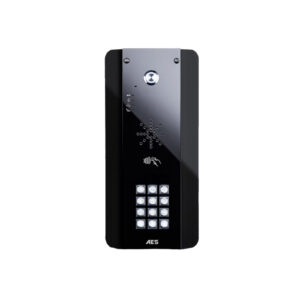
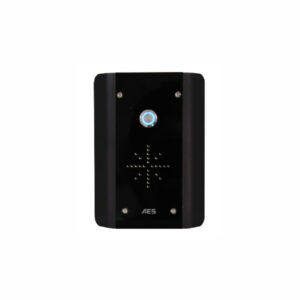
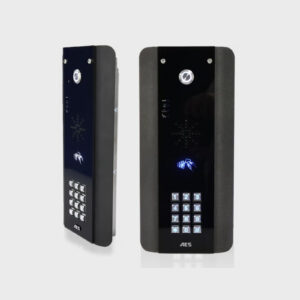
AES 603-AB Black Wireless Intercom Kit – Architectural Model
From £358.68 ex VAT
Wireless Intercom Kit 603-AB
The AES 603-AB is a premium wireless intercom kit that combines modern design with reliable DECT communication technology. Featuring a curved architectural faceplate, this model is finished in brushed stainless steel with high-gloss black acrylic trim and enhanced by a blue backlit illuminated call button, offering both function and visual appeal.
Ideal for residential driveways, gated properties, or commercial entrances, the system eliminates the need for hardwiring between buildings, while providing clear two-way communication and remote access control.
Key Features-
- Long-Range Wireless DECT Audio
Up to 250 metres of working range (400 metres in open-field conditions). - Stylish Architectural Design
Black gloss acrylic trim with marine-grade stainless steel and subtle blue backlighting for a contemporary finish. - Expandable System
Supports up to 4 handsets per system, perfect for larger homes or multiple users. - Built-In Access Control
Gate or door release relay included for secure entry control from any paired handset. - Voicemail for Missed Visitors
Visitors can leave a message; users can play it back directly from the handset. - Optional Add-ons
Available with illuminated keypad and hands-free audio options. - Easy Installation
Comes with all necessary components and simple pairing instructions. - 2-Year Manufacturer’s Warranty
Durable, dependable performance backed by AES.
What’s in the wireless intercom kit?
- External black architectural speech panel with illuminated call button
- DECT transmitter module
- Power supply
- 3m screened CAT5 cable
- Wireless handset (extras available)
- Charging base and charger
- Installation manual
The AES 603-AB wireless intercom kit offers a blend of form and function, delivering reliable access control and sleek design for any modern property.
Speech unit and transmitter specification:
- Power supply: 12Vdc (adaptor included)
- Relay type: N.O & N.C contacts
- Relay time: Fixed 4 seconds
- Cable between speech unit and transmitter: Screened CAT5, maximum 8 metres (shorter the better)
- Speech unit IP55
- Transmitter unit IP65
- Keypad programming on the keypad, up to 1200 codes
- Wiegand output: 26 or 34 bit
Handset specification:
- Power supply: 5Vdc (adaptor included)
- Battery life: 24 hours
- Up to 4 handsets per system
- Easy to use, simple answer and end call button
- Release door from the handset at any time
▪ Why will the unit not ring the handset?
Answer:
- Try re-coding the handset and transmitter per instructions.
- Check push button wiring to the transmitter with multi-meter.
- Check power cable distance from power adaptor to transmitter is less than 4 meters
▪ The user can hear interference through the handset
Answer:
- Check cable distance between the speech unit and transmitter. Shorten this if possible.
- Check cable used between the speech unit and transmitter is screened CAT5.
- Check that the screen of the CAT5 is connected to the ground in the transmitter per wiring instructions.
▪ Keypad code is not operating the gate or door
Answer:
Check if the corresponding relay indicator light comes on.
- If it does, then the fault is either a power problem with excessive cable run, or wiring.
- If the relay can be heard clicking, then it is a wiring problem.
- If a click cannot be heard, then it is likely a power problem.
- If the light does not activate and the keypad emits an error tone, then the issue is likely a programming error.
▪ Why will the handset not re-code
Answer:
- Try the process again. If it still does not work, delete the code from the transmitter. To delete code, press the code button for 3 seconds and release. Then press it 7 times after which a tone should be heard. Then press another 7 times. Now try re-coding the handset again as per the procedure.
▪ Handset work beside the intercom but not in the building
Answer:
- Check that the power cable to the transmitter is within guidelines and is heavy enough gauge. Insufficient power cabling will reduce transmission power!
- Check that there are not excessive objects blocking the signal, like large dense shrubs, vehicles, foil lined wall insulation etc.
- Try to achieve line of sight between both devices.
▪ Why is there no speech in either direction?
Answer:
- Check CAT5 wiring between speech panel and transmitter.
- Disconnect, re-strip cables and re-connect again.
▪ Handset won't charge properly
Solution:
- Try replacing both batteries with equivalent Ni-Mh batteries firstly. It is possible to have a dead cell in a battery which can prevent both batteries from charging.
- Check for contamination or grease on the charging pins at the base of the handset (gently scratch with screwdriver or wire wool).
| Weight | 3 kg |
|---|
Related products
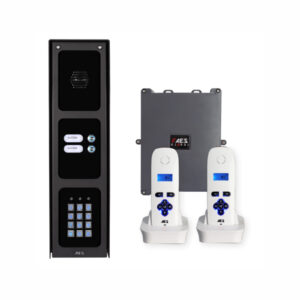
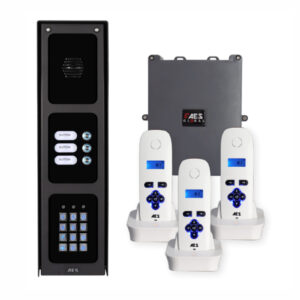
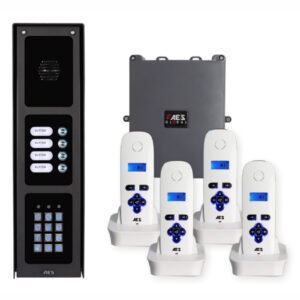
AES 703-IBK Wireless Multi-Button Intercom System
From £782.04 ex VAT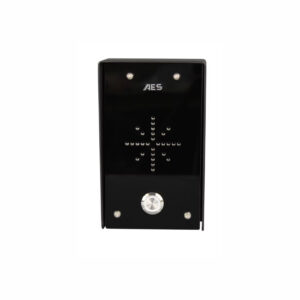
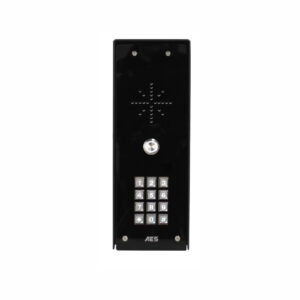
PRIME-EDGE-IB All Black AES Imperial Intercom
From £414.96 ex VAT
EL00C-RAD Commercial Radar E-Loop – Presence & Exit Modes
From £375.48 ex VAT
AES Multi-CL-IBPK Multicom Classic Intercom System
£977.76 ex VAT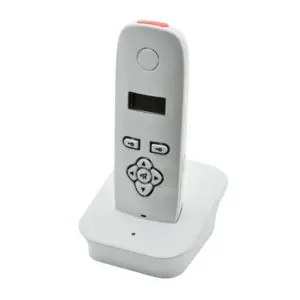
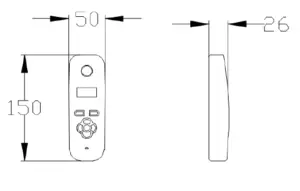
Additional AES Handsets – AES 603, 703, 705
£73.08 ex VAT