AWCHASS-K Contactless Toilet Door Indicator Sensor
£85.27 ex VAT
Touch Free Toilet Door Indicator Sensor
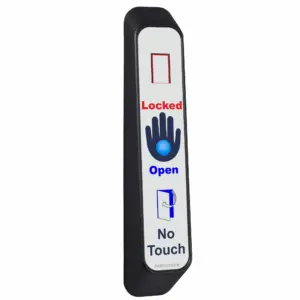
Designed for modern washrooms where hygiene and clarity matter, our Slim/Jamb Hardwired Toilet Door Indicator Sensor offers a sleek, contactless solution for showing toilet occupancy at a glance.
Benefits include –
- Touch Free Activation: With an activation range of up to 70mm, users can simply wave a hand to trigger the sensor. No contact needed!
- Clear Visual Feedback: Bright red and blue LEDs instantly show whether the toilet is engaged or vacant.
- Antimicrobial Protection: The scratch resistant acrylic label is infused with an antimicrobial protection which kills 99.9% of germs and protects against bacteria like E. coli, MRSA, and the flu virus. It also helps prevent black mould, biofilm, and fungi, ideal for humid environments.
- Built to Last: The antimicrobial agent doesn’t just fight germs. It also protects the sensor from degradation, odours, and staining, extending its lifespan and keeping it looking fresh.
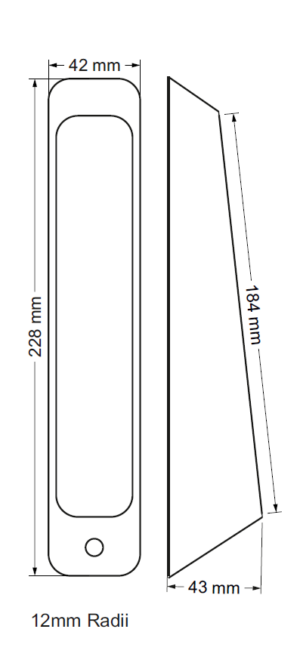
- Slim & Stylish: Its compact design fits neatly into door jambs or narrow spaces, making it perfect for discreet installations.
Powered by 12–24Vdc, this sensor is a reliable & low maintenance addition to any accessible or high traffic toilet facility.
To discuss this product in more detail, or to explore bespoke labels or system options, please contact us. Our team will be happy to assist with technical guidance, custom requirements, or project specifications.
- Architrave external no touch sensor for disabled toilet system/toilet locking system
- 12-28Vdc
- Entire label is sensitive
- Red & blue LED indicators to show engaged/vacant status
- Sounder on activation
- Reinforced nylon housing
- Comes with built in emergency override key switch
- IP65 rated


▪ Touch Sensor Doesn’t Beep When Touched
Step-by-step checks (de-power system for 10 seconds after each step):
Ensure the sensor is securely mounted—not dangling or held in hand.
Check the jumper next to the sensor relay is fitted and making properly.
Use a multimeter to check voltage across +V and 0V at the sensor.
- The touch sensor and LEDs use separate supplies – LEDs being lit doesn’t mean the touch sensor side has power.
Confirm 0V is in the correct terminal, not the REM terminal.
- Disconnect the sensor from existing cabling and connect it directly to the controller on a short piece of cable to rule out cable issues.
▪ System Locks With No One Inside
Solution:
-
Ensure mag lock contacts are wired into the door switch terminals on the control board.
-
Adjust the potentiometer on the internal touch sensor to switch for 3 – 5 seconds.
-
Reduce the sensitivity of the internal touch sensor, especially if emergency lighting or hand dryers are nearby.
-
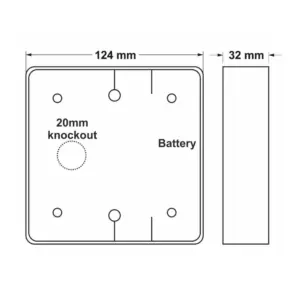
Remove any excess cable inside the touch sensor back box.
-
Re-terminate internal touch sensor connections.
- Consider fitting the MULTI-TIMER reset relay.
▪ Automatic door doesn’t open when it should
Solution:
-
Remove the two wires from the C and NO door activation terminals on the control board and join them together.
-
If the door still doesn’t open, the problem lies with the operator—contact the supplier/manufacturer.
▪ System Goes RED But Maglock Doesn’t Engage
Solution:
-
Check the position of the override keyswitch on the external sensor.
-
Ensure the break glass hasn’t been pressed.
-
Inspect the lock fuse.
-
Link out the NC & KS/BG terminals on the control board.
-
If the system works after linking, but your keyswitch and break glass are correctly positioned, there is likely a cable break.
-
-
Use a multimeter to check for voltage at the mag lock.
-
If voltage is present but the lock isn’t engaging, the lock is faulty.
-
▪ Touch Sensor LEDs Aren’t Lit
Solution:
-
Check the LED jumper (solid/flashing) on the control board is in place.
-
For square sensors, ensure LED wires are connected to the larger outer PCB (see manual p.10).
-
Use a multimeter to test voltage at the LED terminals:
-
The sensor and LEDs use separate supplies—beeping doesn’t mean LEDs have power.
-
-
Remove the sensor from the wall and connect it directly to the control board using a short cable to rule out wiring issues.
▪ Touch Sensor LEDs Flashing but I Want Solid Light
Solution:
-
Change the jumper position on the control board.
▪ Can multiple internal or external touch sensors be used?
Yes!
-
Multiple Door Assist or Touch to Lock/Open sensors can be wired in parallel.
| Weight | 0.165 kg |
|---|---|
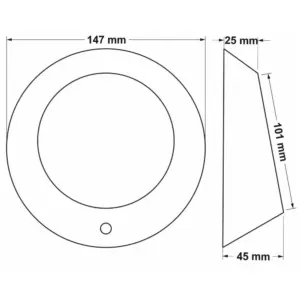
| Dimensions | 230 × 42 × 43 mm |
Related products

ATXHELP-KIT Touch For Help Wireless DDA Alerter
£104.12 ex VAT

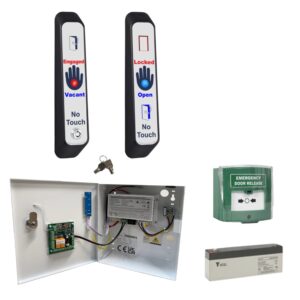
WCKIT-HAND Contactless Toilet Door Locking Kit
From £312.94 ex VAT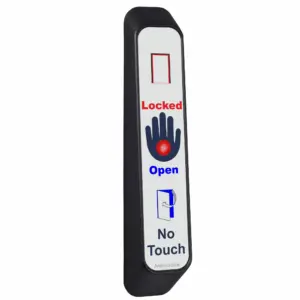
AWCHLOCK Contactless Toilet Door Sensor
£65.98 ex VAT
BARRIERADAPT Barrier Adaptor
£30.52 ex VAT

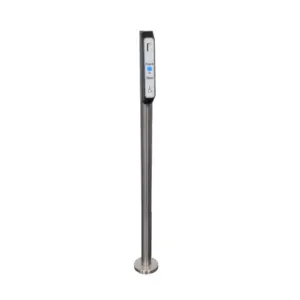
POST(S) Stainless Steel Post – Access Control Post for Mounting Architrave Sensors
£186.00 ex VAT