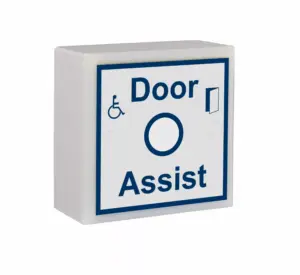
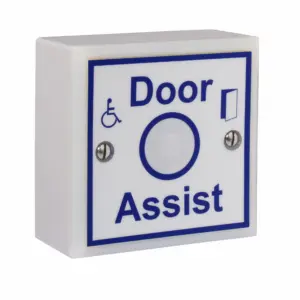
SGWCHASS-K Contactless Toilet Door Indicator
£85.27 ex VAT
No Touch Toilet Door Sensor
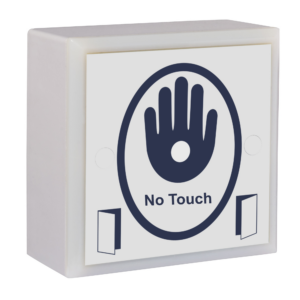
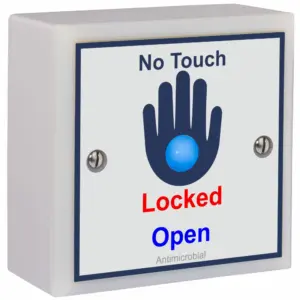
Our hardwired, no touch toilet door sensor combines hygiene and durability. Featuring a scratch resistant acrylic label and powered by 12–24V DC, the sensor activates when a hand approaches, switching the red and blue LEDs to show whether the toilet is engaged or vacant. With an activation range of up to 50mm, it’s touch free!
Even when touched, the entire sensor surface is protected by an antimicrobial technology, which kills 99.9% of germs. This protection extends to harmful bacteria and viruses such as the flu virus, E. coli, MRSA, Salmonella, and Legionella. It also prevents black mould, biofilm, and fungi, which can lead to unpleasant odours, staining, and costly maintenance cycles. It works continuously to restrict microbial growth before it becomes visible, helping maintain cleaner, healthier environments. The antimicrobial layer not only enhances hygiene but also prevents surface degradation, ensuring the sensor remains reliable and presentable for years to come.
Benefits:
- Touchless activation for optimal hygiene and user safety.
- Clear LED indication – Red for engaged & blue for vacant.
- Durable design with scratch-resistant acrylic label.
- Antimicrobial protection against bacteria, mould, and odours.
- Reduced maintenance costs by preventing mould and biofilm build up.
- Long product life due to antimicrobial surface protection.
- Powered by 12–24V DC, ideal for modern installations.
- external no touch sensor for disabled toilet system/toilet locking system
- 12-28Vdc
- Entire label is sensitive
- Red & blue LED indicators to show engaged/vacant status
- Sounder on activation
- Scratch resistant anti-microbial acrylic label
- Robust nylon housing
- Comes with built in over-ride key switch
- Internal use only, IP52
▪ Internal sensor beeps when touched but doesn’t lock the system
Solution:
- Link out the door switch terminals on the control board.
- If this works, inspect the mag lock reed switch/monitoring wiring and armature plate alignment.
- Ensure the mag lock provides a normally closed (NC) signal when the door is shut.
See troubleshooting document for more information.
▪ Touch sensor doesn’t beep when touched
Step-by-step checks (de-power system for 10 seconds after each step):
-
Ensure the sensor is securely mounted—not dangling or held in hand.
-
Check the jumper next to the sensor relay is fitted and making properly.
-
Use a multimeter to check voltage across +V and 0V at the sensor.
- The touch sensor and LEDs use separate supplies – LEDs being lit doesn’t mean the touch sensor side has power.
-
Confirm 0V is in the correct terminal, not the REM terminal.
- Disconnect the sensor from existing cabling and connect it directly to the controller on a short piece of cable to rule out cable issues.
▪ System locks with no one inside
Solution:
-
Ensure mag lock contacts are wired into the door switch terminals on the control board.
-
Adjust the potentiometer on the internal touch sensor to switch for 3 – 5 seconds.
-
Reduce the sensitivity of the internal touch sensor, especially if emergency lighting or hand dryers are nearby.
-
Remove any excess cable inside the touch sensor back box.
-
Re-terminate internal touch sensor connections.
▪ Automatic door doesn’t open when it should
Solution:
-
Remove the two wires from the C and NO door activation terminals on the control board and join them together.
-
If the door still doesn’t open, the problem lies with the operator—contact the supplier/manufacturer.
▪ System goes RED but mag lock does not engage
Solution:
-
Check the position of the override keyswitch on the external sensor.
-
Ensure the break glass hasn’t been pressed.
-
Inspect the lock fuse.
-
Link out the NC & KS/BG terminals on the control board.
-
If the system works after linking, but your keyswitch and break glass are correctly positioned, there is likely a cable break.
-
-
Use a multimeter to check for voltage at the mag lock.
-
If voltage is present but the lock isn’t engaging, the lock is faulty.
-
▪ Touch sensor LEDs aren’t lit
Solution:
-
Verify that the solid/flashing LED jumper on the control board is in place.
-
If using square sensors, the LED wires should connect to the larger outer PCB (see page 10 of the manual).
-
Use a multimeter to check voltage at the touch sensor LED terminals.
-
The LEDs have a separate power supply from the sensor itself—if the sensor beeps but LEDs don’t light, check for a cable break.
-
-
Remove the sensor from the wall and connect it directly to the control board using a short cable to rule out wiring issues.
▪ Touch sensor LEDs are flashing but should be lit solid
✔ Solution:
-
Change the jumper position on the control board.
▪ Door re-locks instantly when unlocking
Solution:
-
Adjust the potentiometer on the internal touch sensor to switch for 3 – 5 seconds.
-
This may occur if the mag lock contact is intermittently opening and closing while the touch sensor is still beeping.
-
Check armature alignment and ensure the door does not judder when opening.
-
If the issue persists, replace the mag lock or install a standard magnetic door contact instead.
▪ Can multiple internal or external touch sensors be used?
Yes!
-
Multiple Door Assist or Touch to Lock/Open sensors can be wired in parallel for seamless operation.
| Weight | 0.175 kg |
|---|---|
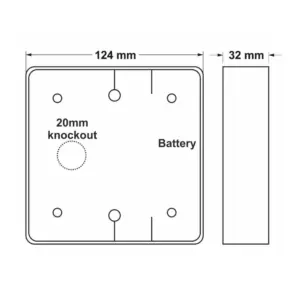
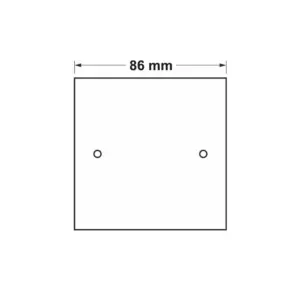
| Dimensions | 86 × 86 × 29 mm |
Related products

SGTXHELP Touch For Help Radio Door Chime
£103.04 ex VAT
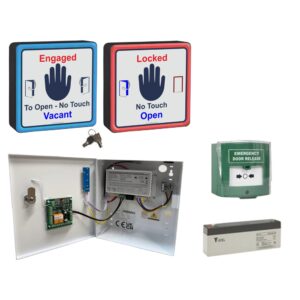
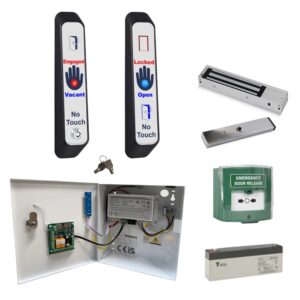
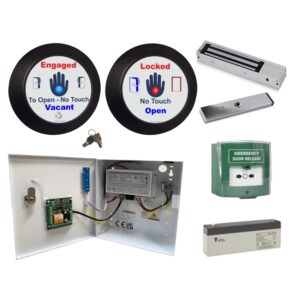
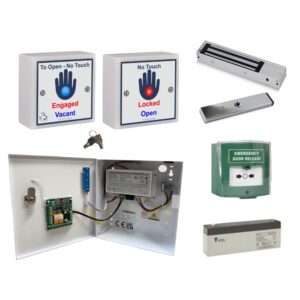
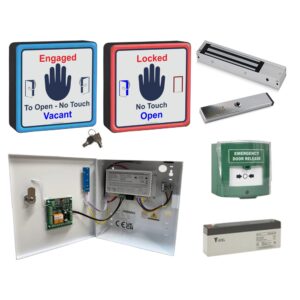
WCKIT-HAND Contactless Toilet Door Locking Kit
From £312.94 ex VAT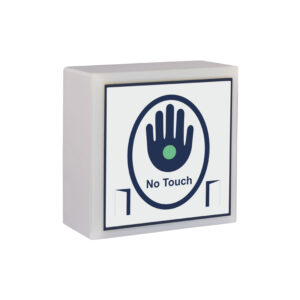
SGTXHAND Touchless Door Sensor
£53.14 ex VAT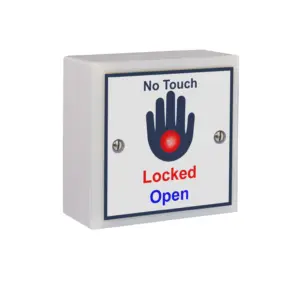
SGWCHLOCK Contactless Toilet Sensor
£65.98 ex VAT
SGTXREL Wireless Door Release Sensor
£53.14 ex VAT