


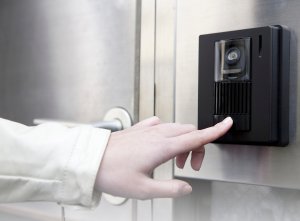
Access control intercoms are a practical part of day-to-day security for offices, warehouses, schools and mixed-use buildings. They handle visitor calling, staff verification, and safe door release at reception entrances, staff doors and external gates, so the system has to work reliably under regular traffic.
This guide explains how access control intercoms function, the main system types, and the installation details that affect performance over time. It covers reader and keypad choices, door hardware and release methods, power and cabling, hands-free entry, and outdoor fitting considerations, with a focus on admin changes like staff turnover, tenant moves, and the safety and compliance requirements that influence design.
What an access control intercom system is and how it works
At a basic level, access control intercoms combine communication and door control. Someone at the door uses an intercom panel to speak to staff, while the access control side decides if the door should open.
Most commercial setups include:
- Intercom panel – audio or video unit at the entrance.
- Reader or keypad – proximity reader, PIN keypad, or a combined unit.
- Controller – the brain that checks permissions and logs events.
- Door hardware – electric strike, electromagnetic lock, or powered handle.
- Exit method – push-to-exit button, touch-free sensor, or request-to-exit device.
- Emergency release – break glass or fire alarm interface.
- Power supply – sized to support locks, readers and intercoms under load.
In practice, these parts need to work together without delay. A door that opens slowly, a reader that misreads, or an intercom with poor audio quickly causes frustration.
A simple decision framework before choosing equipment
Early planning avoids most future issues. Useful questions include:
- How many doors need control now, and how many later?
- How many users will be active at peak times?
- Is event logging needed for audits or investigations?
- What door types are involved: timber, aluminium, glass, or gates?
- How is safe exit handled during a power cut or fire alarm?
- Does the system need to link to CCTV, alarms or building management?
Answering these narrows the field quickly and helps decide between standalone and networked systems.
Standalone vs networked systems
Standalone access control intercoms
Standalone units manage a single door or gate. They store users locally and are programmed at the device.
Pros
- Simple installation
- Lower upfront cost
- No network dependency
Cons
- Manual updates at each door
- Limited reporting
- Harder to scale
They suit small offices, side entrances, or temporary buildings.
Networked access control intercoms
Networked systems connect doors to a central controller or server.
Pros
- Central user management
- Better logging and reporting
- Easier expansion
Cons
- More planning required
- Network resilience matters
They fit multi-door sites, shared receptions and sites with staff turnover.
Reader options and operational trade-offs
Proximity readers
Cards and fobs remain common due to speed and familiarity. Lost credentials can be disabled quickly, which keeps risk low if administration is kept tidy.
Keypads
PIN entry avoids physical credentials but relies on good PIN security. Shared codes can spread without control.
Biometrics
Facial recognition reduces credential sharing but raises privacy and data protection considerations. These systems need clear policies and often involve consultation with staff representatives.
Each option affects administration time and user behaviour, not just security.
IP access control in practice
“IP” simply means the system uses the site network to communicate. This allows remote management and integration with other systems.
Points to plan early:
- Who owns the network configuration
- Segmentation and security
- Power backup for switches
- Offline behaviour if the network drops
IP access control suits modern offices with IT support and clear ownership boundaries. GSM and 4G intercoms offer a great alternative, as they use a SIM card to connect to the mobile network while providing many of the same features and benefits.
Door hardware basics: choosing the right locking method
Common options include:
- Electric strikes – discreet and suitable for many internal doors.
- Electromagnetic locks – strong holding force for busy entrances.
Fire safety and escape routes affect every choice. Doors on escape routes need fail-safe behaviour and correct interfaces to fire alarms.
Installation mistakes that cause problems later
Experienced installers see the same issues repeatedly:
- Undersized power supplies causing voltage drop
- Long cable runs without compensation
- Exit buttons placed too close to doors
- Emergency releases omitted or hidden
- Commissioning skipped under time pressure
Testing realistic scenarios, including power loss and fire alarm activation, is essential.
Managing credentials over time
Day-one setup is easy; ongoing management matters more.
Good practice includes:
- Prompt removal of lost or returned fobs
- Clear access levels by role
- Regular reviews to reduce permission creep
- Simple procedures for temporary access
Centralised systems reduce admin effort and errors.
Hands-free access control
Touch-free exit buttons and sensors improve accessibility and hygiene. They work well in corridors and healthcare settings but need careful placement to avoid accidental activation from passing traffic.
This topic links closely with accessibility standards and user flow planning.
Outdoor readers and exposed entrances
External doors and gates need extra attention:
- IP-rated housings
- UV-resistant plastics
- Tamper protection
- Secure conduit and cable entry
Weather resistance affects long-term reliability more than headline features.
Upgrading older systems with minimal disruption
Replacing everything at once is rarely practical. A staged approach often works better:
- Replace unreliable door hardware.
- Upgrade controllers and power.
- Add network capability.
- Introduce newer readers or intercom panels.
This reduces downtime and spreads cost.
Conclusion
Access control intercoms work best when treated as part of a complete door entry system rather than a single device. Clear planning around doors, users, exit routes and power avoids many common faults. Reader choice affects daily behaviour, while door hardware and emergency release planning influence safety and compliance. Networked or GSM/4G systems bring administration benefits, but only if resilience and ownership are agreed early.
For facilities managers and installers, the priority is reliability and simplicity: systems that staff understand, that scale without rework, and that behave predictably during faults or emergencies. Careful installation, realistic testing and regular credential reviews keep systems working as intended long after handover. With these principles in place, access control intercoms support security without adding unnecessary complexity.