


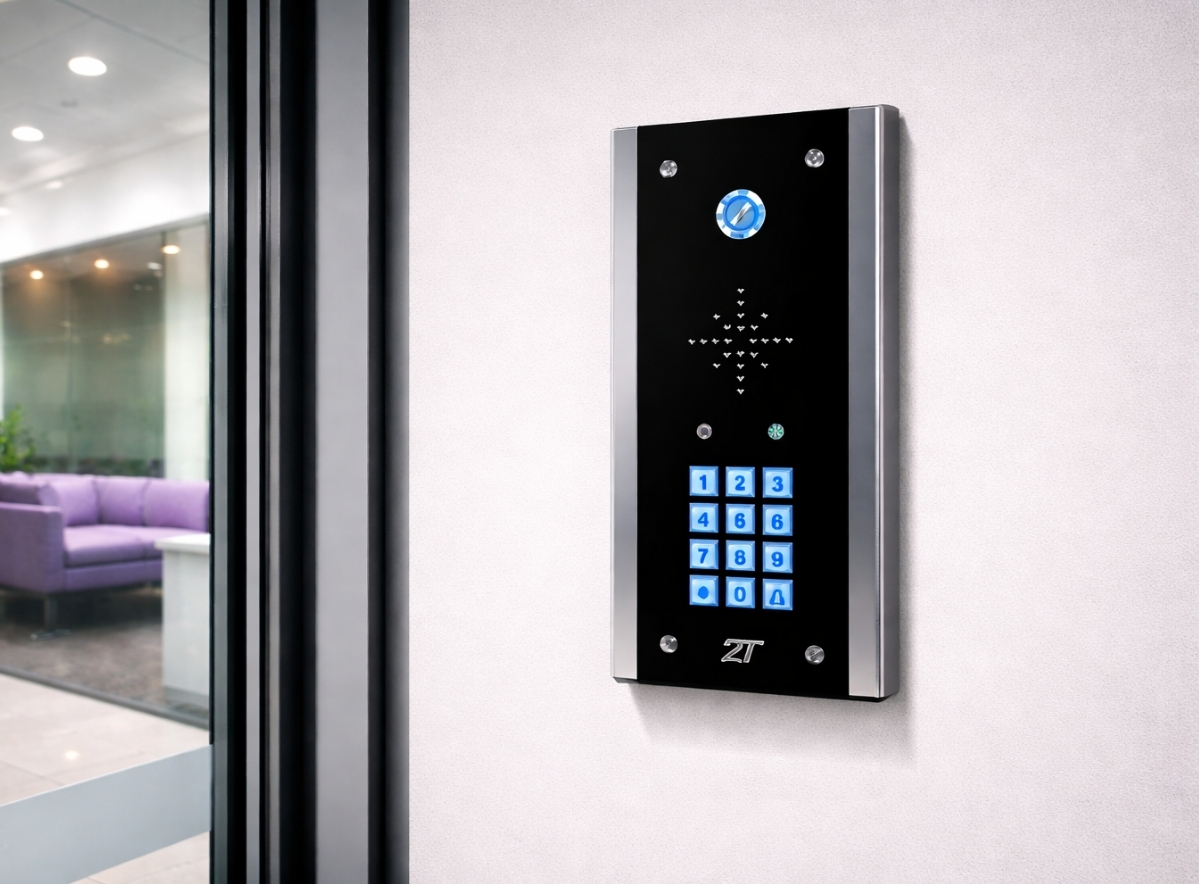
An intercom system for business is often the first layer of interaction between visitors and a secured building. For facilities managers, installers and office administrators, the challenge is not simply choosing a device but designing a system that works across reception areas, secondary entrances, delivery doors, and staff access points.
In multi-door workplaces, intercom system for business configuration directly affects security, visitor flow, and daily administration. A poorly planned layout can cause delays at reception, missed deliveries, or staff bypassing procedures. A well-structured setup, by contrast, supports controlled access without slowing down operations. This article focuses on practical intercom configurations for businesses with reception desks and several doors, looking at how systems are typically arranged, what operational issues arise, and how to avoid common mistakes. Many of these considerations make more sense when viewed within the wider structure of access control intercom systems used to manage secure building entry.
How Intercom Systems Function in Multi-Door Business Environments
In most commercial buildings, an intercom system for business acts as a bridge between a controlled door and a person authorised to grant access. The system usually includes:
An external intercom panel (audio or video)
A call destination such as reception, a security desk, or a mobile device
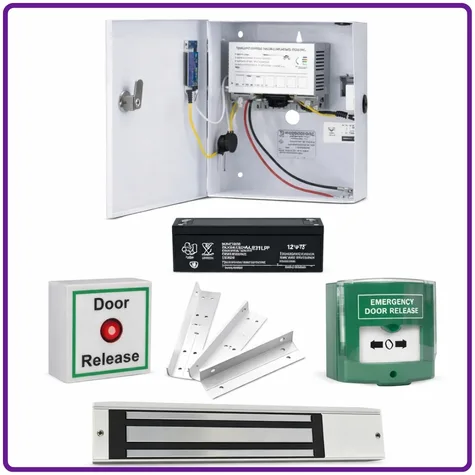
A door release mechanism (electric strike or magnetic lock)
When more than one entrance is involved, the configuration becomes more complex. Visitors may approach different doors depending on signage, parking areas, or delivery routes. Without careful planning, reception staff can struggle to identify which entrance a call is coming from.
Many modern systems address this by assigning each intercom panel a labelled call point. When a visitor presses the button, reception sees exactly which entrance is requesting access. This small design decision prevents confusion and speeds up the entry process in an intercom system for business.
Reception-Centred Intercom Layouts
Single Reception Hub
The most common arrangement places reception as the central control point for an intercom system for business.
In this setup:
All intercom calls route to reception
Reception staff verify visitors through audio or video
Staff release the appropriate door remotely
This works well for:
Offices of all sizes
Professional services firms
Buildings with one staffed entrance during business hours
However, installations should account for peak periods. If multiple entrances call reception simultaneously, staff may struggle to respond quickly. Systems that allow call queuing or prioritisation can help avoid missed calls.
Reception desks should also have a clear interface that shows which door is calling. Simple visual indicators or labelled call panels reduce operator error.
Distributed Reception and Security Desks
Larger buildings often route intercom calls to multiple destinations.
For example:
Main entrance → Reception
Staff entrance → Security desk
Delivery entrance → Facilities office
This structure spreads responsibility and prevents reception from becoming a bottleneck.
Many intercom platforms allow call routing rules such as:
Time-of-day routing
Failover to another desk if unanswered
Call forwarding to mobile devices
For estates teams managing larger sites, this approach keeps operations running even when reception is temporarily unattended, which is often essential in a larger intercom system for business setup.
Managing Secondary Doors and Service Entrances
Businesses rarely operate with a single visitor entrance. Service doors, car park entrances, and goods-in entrances usually require their own intercom points.
These doors present different operational challenges.
Delivery and Loading Areas
Delivery entrances often experience high traffic during specific windows. An intercom system for business at these points should prioritise speed and clarity.
Common considerations include:
Larger, weather-resistant call panels
Clear labelling for courier drivers
Integration with CCTV for visual confirmation
Dual height call points for cars and HGVs
Facilities teams often route these calls directly to a facilities office rather than reception. This avoids reception staff managing deliveries they cannot physically assist.
Staff Entrances with Occasional Visitors
Some buildings have entrances used primarily by employees with access cards, but visitors may occasionally arrive there.
In this case, an intercom panel provides a backup method of entry.
The most practical configuration usually allows:
Staff card or PIN access
Intercom call to reception if the visitor lacks credentials
This prevents people waiting outside without assistance while maintaining secure staff entry.
Video vs Audio Intercom Considerations
Businesses frequently debate whether video is necessary in an intercom system for business.
In smaller offices with clear reception lines of sight, audio-only systems can be sufficient. However, video becomes valuable in certain conditions.
Video intercoms are particularly useful where:
Entrances are out of sight of reception
Security policies require visual verification
High visitor volumes make identity confirmation important
Video systems also reduce the risk of someone granting access without understanding who is requesting entry.
The additional cost of video intercoms need to be weighed up. Sometimes audio intercoms can be used in conjunction with the building’s existing CCTV system for visual verification.
Cabling and Infrastructure Planning
Multi-door intercom system for business installations require careful infrastructure planning, particularly in existing buildings.
Key considerations include:
Network-Based Systems
Many modern intercoms operate over IP networks. These systems allow flexible call routing and integration with building access platforms.
However, they depend on reliable network connectivity.
Installers typically check:
Network switch capacity
VLAN segmentation for security devices
Power over Ethernet availability
If the intercom shares a network with other building systems, bandwidth planning becomes essential.
Power and Door Hardware Integration
Intercom systems do not operate in isolation. They must interact with door release mechanisms such as electric strikes or magnetic locks.
Installers need to confirm:
Voltage requirements
Fail-safe vs fail-secure behaviour
Fire alarm integration
Incorrect configuration can create safety risks. For example, doors that fail locked during an evacuation scenario may conflict with fire safety rules.
Facilities managers should coordinate with fire safety professionals when designing controlled entry points.
Common Mistakes in Multi-Door Intercom Installations
Several recurring issues appear in intercom system for business deployments.
Too Many Call Destinations
It may seem helpful to allow calls to multiple people. In practice, this can create confusion about who should answer.
A clearer approach assigns responsibility to a specific desk or team.
Poor Door Identification
If the interface does not clearly display the calling location, staff may release the wrong door.
Labelling panels and configuring accurate call identifiers prevents this.
Ignoring After-Hours Operation
Many systems are designed only for daytime reception use. After hours, calls may go unanswered.
Practical solutions include:
Automatic forwarding to security staff
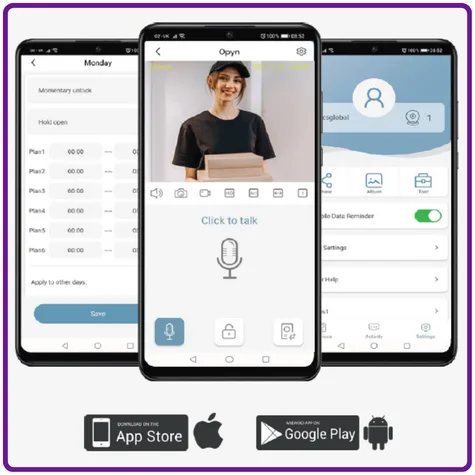
Mobile app answering
Temporary access codes for expected visitors
Answer phone
These options prevent late arrivals being locked out while still maintaining building security.
Integration with the Wider Access-Control System
An intercom system for business works best when integrated into the broader building access platform.
Integration allows:
Entry logs to include intercom-triggered access
Video recordings linked to door events
Central management of users and doors
In buildings with multiple entrances, this unified approach makes administration far easier.
Facilities teams can see exactly how and when access was granted.
Practical Takeaways
For buildings with reception areas and several entry points, intercom system for business setup affects daily operations more than many teams expect.
Key considerations include:
Operational flow: Central reception systems work well for smaller offices, while larger sites benefit from distributed call routing.
Security and verification: Video intercoms help where entrances are remote from reception or require stronger identity checks.
Installation complexity: Multi-door systems require careful cabling, network planning, and power integration.
Administrative clarity: Clear door labels and defined call destinations prevent confusion for reception staff.
Future expansion: Choosing network or GSM based systems allows additional doors to be added without major infrastructure changes.
Facilities managers, installers, and IT teams benefit most when these factors are addressed during the design stage rather than after installation.
Conclusion
The design of an intercom system for business becomes more important as the number of entrances increases. Reception desks, staff entrances, and delivery doors each place different demands on the system. Without a clear layout and defined call routing, reception teams may struggle to manage entry requests and security staff may lack visibility of access events.
Carefully planned intercom setups support reliable access control while keeping visitor management straightforward. Attention to door identification, call routing, infrastructure planning, and integration with the wider access platform improves both security and operational efficiency. When aligned with the broader access-control strategy, an intercom system for business becomes a practical tool for managing building entry rather than a daily source of confusion.