


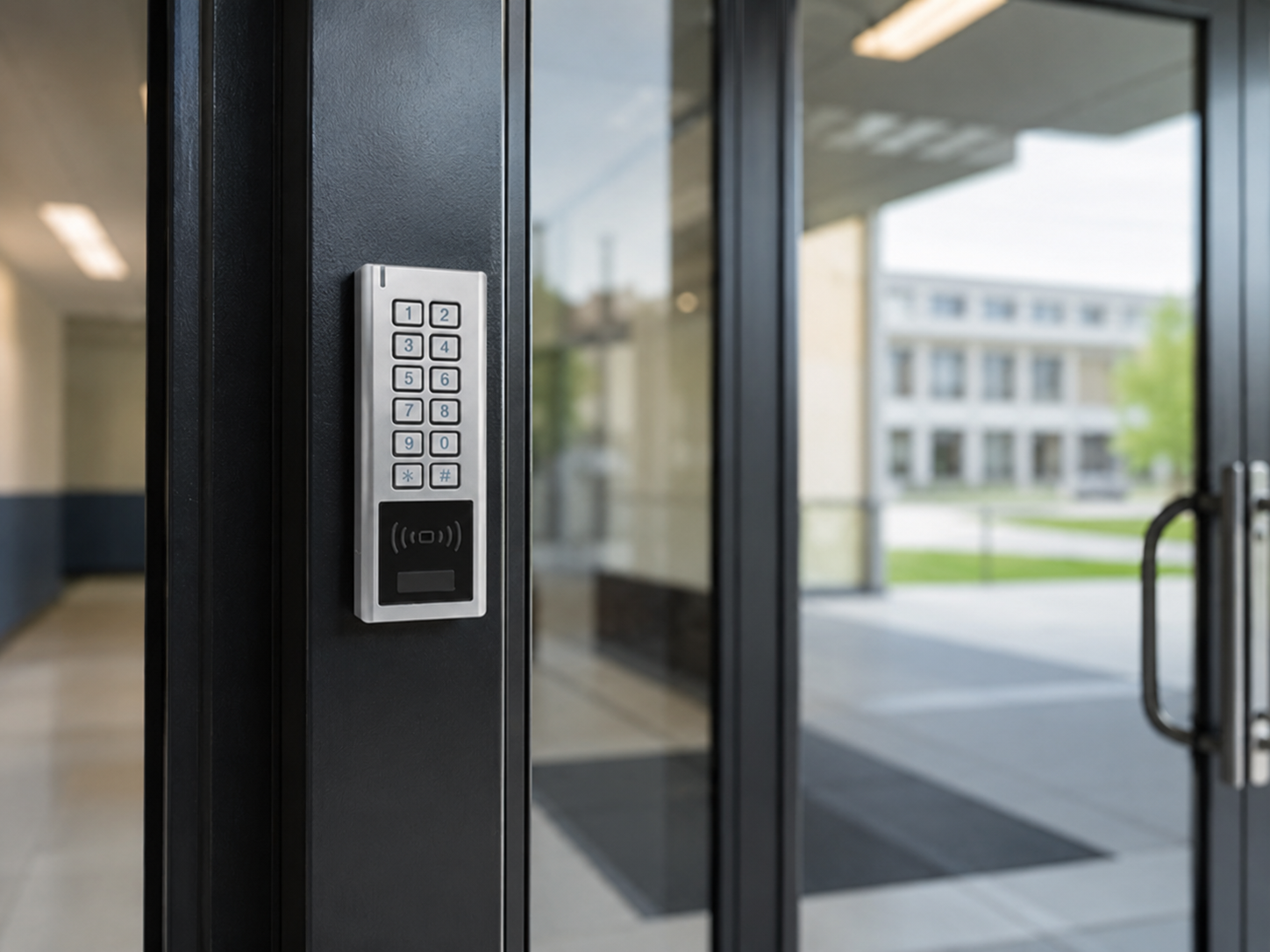
Most schools already have some form of access control. The question is whether what they have is actually doing the job. A broken intercom on the main entrance, a fob system that nobody manages properly, or a keypad code that has not changed in three years are not access control.
This guide covers the hardware that makes up a properly specified school access control system, what each component does, and how to decide what your site actually needs.
Why School Access Control Has Specific Requirements
Schools are not offices. The traffic through the doors is higher, more varied, and harder to predict. You have staff, pupils, parents, contractors, deliveries, and visitors. Some doors need to be locked at all times. Some need to be open for fire evacuation. Some need to be accessible only during certain parts of the day.
Compliance matters here too. Any door automation used in a school must meet the requirements of BS EN 16005, the safety standard for powered pedestrian doors, and access routes must satisfy the Equality Act 2010 and Document M of the Building Regulations, which covers accessibility for disabled users.
Getting the hardware specification right from the start saves significant cost and disruption later.
The Core Hardware in a School Access Control System
1. Access Readers
The reader is the device that authenticates a person before a door releases. For schools, the most common types are:
Proximity readers read fobs or cards from a short range, typically a few centimetres to around ten centimetres. They are fast, require no PIN input, and work well for staff access. Most systems use 125kHz EM or 13.56MHz MIFARE technology. MIFARE is more secure and the better choice for any new installation.
Keypad readers require a PIN code. These work well for secondary access points or as a backup method. On their own they are less secure, since codes get shared. Combined with a fob (two-factor access), they offer significantly stronger control.
Biometric readers use fingerprints or facial recognition. These are increasingly affordable and are worth considering for server rooms, medicine stores, or anywhere that requires auditable, individual access without the risk of lost fobs.
Quantek supplies a range of standalone and networked proximity readers suitable for school use, including readers compatible with most standard wiegand control panels.
2. Access Control Panels
The panel is the brain of the system. It holds the access permissions, time zones, and user data. There are two main types:
Standalone controllers manage a single door. Each door has its own panel, and they do not communicate with each other. These are lower cost and straightforward to install but can become difficult to manage across a large site. If a member of staff leaves, you need to remove their fob from every individual controller.
Networked (IP) systems connect all doors through your building’s network to a central management point. This is the right choice for any school managing more than a handful of doors. You can add or remove users across every door from a single interface, pull audit logs, and set time-based access profiles. If you need to lock down the entire site quickly, you can do it from one place.
For schools, a networked system is almost always the better long-term investment, particularly where safeguarding and audit trail requirements apply.
3. Electric Strikes and Magnetic Locks
Once the reader or controller authenticates a user, the lock needs to release. The two main options are electric strikes and magnetic locks.
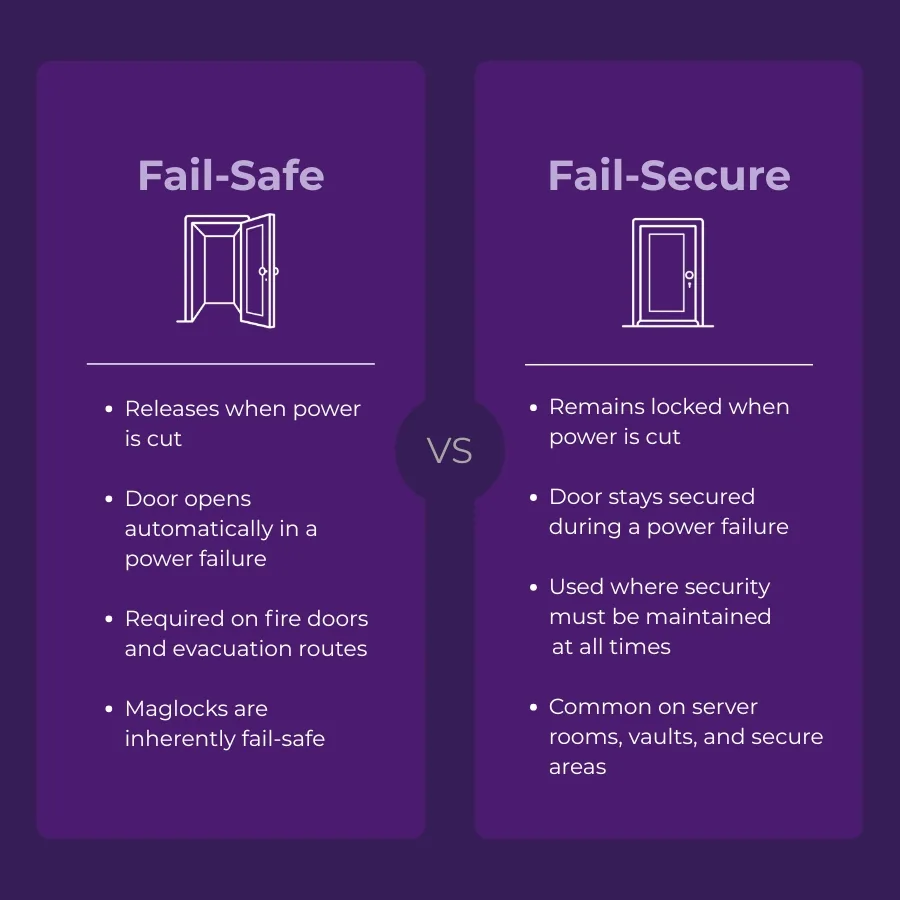
Electric strikes replace the standard door keep. When power is applied (or removed, depending on the fail-safe configuration), the strike opens and allows the door to swing free. They work with standard door furniture and are well suited to doors that need to look and feel like ordinary doors.
Magnetic locks (mag locks) hold the door shut using a powerful electromagnet. When power is cut, the door releases. They are strong and reliable but require an armature plate fitted to the door and a means of mechanical release for fire safety and egress. Any mag lock on a fire door must be fire rated.
The choice between the two depends on the door type, the direction of swing, and fire strategy. Quantek stocks both, from 150kg to 600kg holding force.
Fail-safe vs fail-secure: this decision matters on every door. Fail-safe locks release when power is lost, keeping exit routes clear. Fail-secure locks remain locked. Most school corridors and exit doors should be fail-safe. Server rooms or secure storage may be fail-secure. Your fire risk assessment will determine which applies where. Using fail safe locks with a battery backup power supply ensures the door remains locked during power outages.
4. Exit Devices and Request-to-Exit
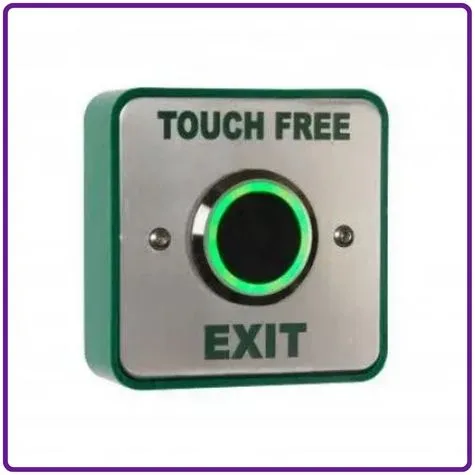
Controlled doors need a way out that does not require authentication. Request-to-exit (REX) devices include:
- Push-to-exit buttons (surface-mounted or flush)
- Motion-activated PIR or infrared exit sensors (hands-free, good for high-traffic doors)
Any door serving as a fire exit must have mechanical override and comply with BS EN 179 (emergency escape hardware) or BS EN 1125 (panic hardware), depending on the occupancy type.
Do not overlook this part of the specification. REX devices and break-glass units are the last line of defence in an emergency.
5. Intercom and Video Entry Systems
For the main entrance and goods entrances, an intercom is usually the first point of contact for visitors. A good school intercom system should:
- Identify visitors before the door opens
- Allow remote release from reception or a mobile device
- Log calls and, ideally, capture images of visitors
- Handle multiple simultaneous calls if there is more than one entry point
Audio-only intercoms are sufficient for some secondary entrances. Video intercoms are strongly recommended for main entrances, giving reception staff a visual confirmation before releasing the door.
GSM and IP intercoms allow calls to be answered on a mobile phone or via a networked app. These are useful where the reception is not always staffed, or where call divert to a duty manager is needed.
Quantek stocks Videx and AES intercom systems, including video door stations, surface and flush-mount panels, and GSM & 4G based systems for unmanned or temporary entry points.
6. Visitor Management Integration
Intercom and access control hardware can integrate with visitor management processes, though how sophisticated this needs to be depends on your school’s size and safeguarding protocols.
At a minimum, controlled entry via intercom with a visual record satisfies most requirements. Schools that need to manage contractor sign-in, track visitor badges, or cross-reference against prohibited persons lists may benefit from a system that links access hardware with visitor management software.
This is worth discussing with your installer at the specification stage. The access control hardware itself does not change significantly, but the choice of controller and software platform affects what integration is possible.
7. Power Supplies and Backup
Access control hardware is only as reliable as its power supply. Every installation needs a dedicated, regulated power supply rated for the load. For most single-door installations, a 12V or 24V DC unit with battery backup is standard.
Battery backup means doors continue to operate correctly during a power cut. Fail-safe doors will fail open. Fail-secure doors will hold. Either way, the system behaves predictably, which matters for both security and fire safety.
Quantek stocks access control power supplies with battery backup including options with tamper detection and low-battery indicators.
What About Door Automation?
Some schools combine access control with automatic door operators, particularly on main entrances, DDA-compliant routes, and high-traffic internal corridors.
An automatic door with access control integration can hold shut until a valid credential is presented, then open fully and close again after a set time. This is particularly useful at reception entrances where you want to manage flow without creating a bottleneck.
Door operators for schools need to meet BS EN 16005, which covers force limits, obstacle detection, and safety markings. Any installation should include infrared or laser safety sensors and finger trap protection..
Quantek supplies automatic door operators and safety accessories including swing door operators, sliding door systems, and accessories such as safety edges and photocells.
Putting It Together: How to Specify the Right System
There is no universal specification for school access control systems. A primary school with one building and a single main entrance needs something very different from a secondary school with multiple buildings, a sports hall, and a sixth form block.
The useful questions to work through are:
- How many doors need to be controlled?
- Which doors need to be linked (networked) and which can be standalone?
- What are the fire strategy requirements for each door?
- What is the existing door furniture and frame condition?
- Is there a need for audit trails and user management across the site?
- What are the DDA and accessibility requirements on each route?
- Does the intercom need to divert to mobile?
If you are unsure on any of these, the answer is usually to go for the more capable option now rather than retrofit later. Upgrading a standalone system to a networked one after installation is substantially more expensive than specifying networked from the start.
Compliance and Standards Worth Knowing
For schools specifying or upgrading access control, the following are relevant:
- Keeping Children Safe in Education (KCSIE) GOV.UK: the statutory safeguarding guidance that informs site security requirements.
- BS EN 16005: safety in use of powered pedestrian doors.
- BS 7036: code of practice for safety at powered doors (relevant for older, in-use systems).
- Approved Document M: accessibility requirements, including minimum door clear opening widths, force limits, and hardware positioning.
- BS EN 179 / BS EN 1125: emergency egress hardware standards.
Your installer should be familiar with all of these. If they are not, that is worth knowing before you commit.
Conclusion
A well-specified school access control system is not a single product. It is a combination of readers, locks, panels, intercoms, exit devices, and power supplies that work together reliably day after day, through high footfall, varying staff, and the occasional lost fob.
The hardware choices you make at specification stage affect how manageable the system is five years from now. A networked controller costs more upfront than a standalone unit. A video intercom costs more than audio only. But retrofitting either into a school that has outgrown its original setup costs considerably more in time, disruption, and money.
If you are specifying a new system, upgrading an existing one, or simply trying to work out why your current setup is not doing what it should, the Quantek team can help. Call us on 01246-417113 or browse the full range at quantek.co.uk.
Ordering and Lead Times
Most of the hardware covered in this guide is available to order from Quantek with next day delivery on UK mainland orders placed before 2pm. That includes readers, strikes, mag locks, exit buttons, power supplies, intercoms and associated ancillaries.
For full system builds or trade account pricing, call us on 01246-417113 or email [email protected]. We can also advise on compatibility if you are adding to or replacing part of an existing system.