DPA Narrow Door Entry Keypad – Architrave Keypad with Proximity
£29.95 ex VAT
Narrow Door Entry Keypad with Built-In Proximity Reader
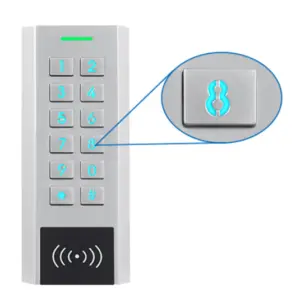
The Narrow Door Entry Keypad with Built-In Proximity Reader is specifically designed for installations where space is limited. Its slim profile fits neatly onto architraves and narrow door frames, making it an ideal solution where standard keypads are too wide for the available mounting area.
The integrated proximity reader provides quick and convenient contactless access using cards or fobs, while the keypad also supports PIN code entry for added flexibility. This combination allows you to manage access in the way that best suits your environment.
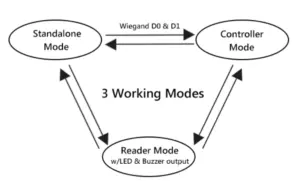
The unit can operate as a standalone access control system, perfect for simple single-door installations. Alternatively, it can be connected via Wiegand output to integrate with a larger access control system, giving you the flexibility to expand your security setup when required.
With its sleek, durable construction, the keypad is well suited for a wide range of applications, including doors, gates, and roller shutters, providing a practical and professional access control solution.
Key Features:
- Slim design ideal for architraves and narrow door frames
- Built-in proximity reader for contactless access
- Supports PIN code and proximity card/fob entry
- Can operate as a standalone unit or integrate via Wiegand output
- Suitable for doors, gates, and roller shutters
- Durable and modern design for professional installations
- Working voltage: 12Vdc
- Strong zinc alloy vandal resistant case
- Supports card, PIN or both
- Easy to install and program
- Backlit keys
- Internal buzzer
- With anti theft alarm output for external alarm device
- With built-in anti theft equipment
- Adjustable relay time (1-99 seconds)
- Capacity: 2000 users, codes or cards
- Frequency: 125KHz
- Reading range 2-6cm
- Wiegand 26 output
- Environment temperature: -45°C to 60°C
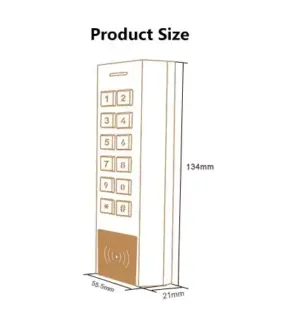
- Dimensions: 150H x 44W x 28D (mm)
- 1 year warranty
Forgotten the master code
- Perform a factory reset. Master code will be reset to default. (999999)
- How to: Power off, hold # whilst powering back on. User data is unaffected.
Reader isn’t beeping when fob or card is presented
- Check your cards or fobs are the correct type & frequency for the reader. They must be 125KHz EM.
3 beeps when trying to program something into a User ID
- User ID is already taken, please try a different one.
How do I delete a specific PIN or card?
- When the device was installed, an issue record should have been kept. This may be on the last page of the supplied manual or kept digitally. Refer to the issue record and see page 6 of the manual.
- If no issue record was kept, you may need to delete all users and re-add them.
Unexpected beeping or flashing or not reading cards properly
- This can often be caused by a faulty power supply or not enough current. Fit a new transformer.
- Double check all cabling and connections. Take off the wall and connect directly to the power supply to rule out any cabling issues or short circuits.
| Weight | 0.6 kg |
|---|---|
| Dimensions | 150 × 44 × 28 mm |
Related products
CPWKP Wireless Keypad
£40.00 ex VAT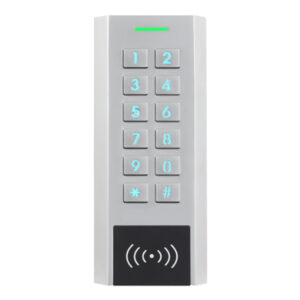
KPN Slim Keypad with Proximity
£46.90 ex VAT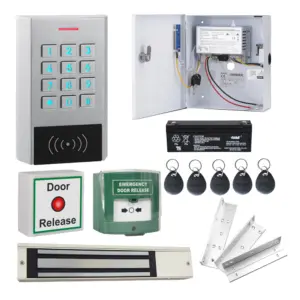

CPK1 Single Door Access Kit With Waterproof Keypad
£157.71 ex VAT
PFOB-IP Blue Proximity Fob 125KHz EM
£0.93 ex VAT
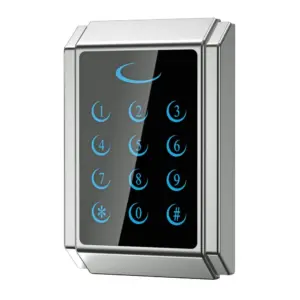
DPS-T Touch Keypad Access Control with Proximity
Original price was: £58.50.£32.00Current price is: £32.00. ex VAT