


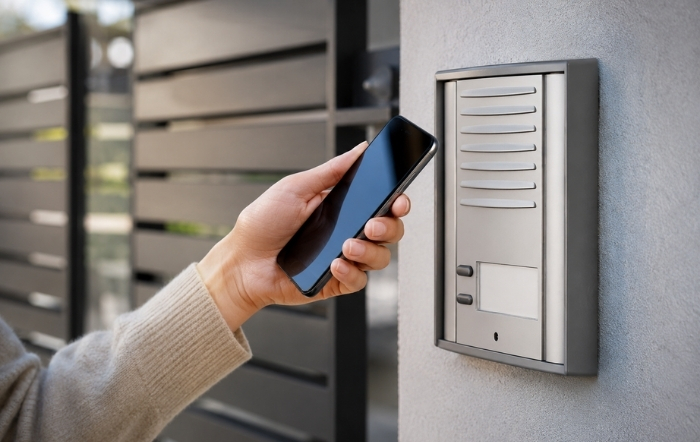
A GSM intercom is one of the most practical tools in a modern access control setup. It allows residents or staff to receive calls on a mobile phone and grant entry remotely, without requiring a dedicated landline or concierge station. When functioning correctly, the system operates seamlessly. When it fails, the result can range from minor inconvenience to a complete disruption of site security.
If you are dealing with a GSM intercom not working, the fault could stem from the SIM card, antenna, wiring, programming, power supply, or mobile network. This guide covers the most common GSM intercom faults and explains how to diagnose and resolve them efficiently.
Understanding Why a GSM Intercom Stops Working
Before troubleshooting, it helps to understand how a GSM intercom operates.
A GSM intercom contains a GSM module connected to a mobile network via a SIM card. When a visitor presses the call button, the intercom dials one or more pre-programmed phone numbers. The recipient can speak to the visitor and trigger the door release by pressing a number on their phone keypad.
Because several components are involved, a GSM intercom not working may be caused by issues with:
- Power supply
- SIM registration
- Network signal
- Programming
- Relay output
- Connected locking hardware
Identifying which part of the chain has failed is the key to effective troubleshooting.
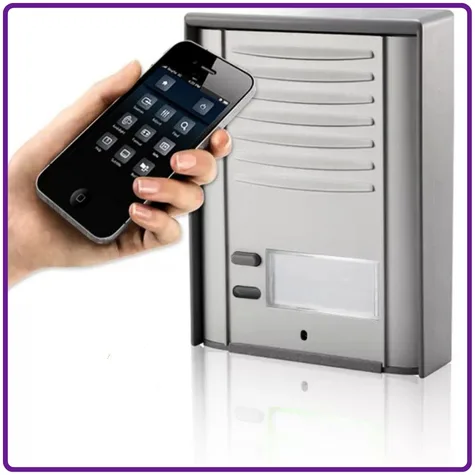
Fault 1: No Power or the Unit Will Not Boot
This is the simplest fault to diagnose but is often overlooked.
Check the Following:
Verify the Power Supply
- Confirm the power supply is connected and switched on.
- Ensure it is delivering the correct voltage.
- Most GSM intercoms require a 12 or 24V DC supply, although some models support wider voltage ranges.
Inspect Power Connections
- Check terminal connections for looseness or corrosion.
- Ensure all wiring is securely terminated.
Test Under Load
- Use a multimeter to verify voltage while the unit is operating.
- A power supply may appear healthy when unloaded but drop below operating voltage under demand.
Check Fuses and Protection Devices
- Inspect any inline fuses or circuit breakers.
- Replace blown fuses where necessary.
Look for Water Damage
- For external installations, inspect the enclosure for signs of moisture ingress.
- Water damage can cause short circuits and permanent component failure.
If the unit powers up but behaves erratically, continue with the following checks.
Fault 2: SIM Card Not Detected or Not Registered
SIM-related issues are among the most common GSM intercom faults.
Common SIM Problems
SIM Not Seated Correctly
Remove and reinsert the SIM card, ensuring it is correctly positioned in the holder.
SIM PIN Enabled
Most GSM intercoms cannot enter a PIN code automatically.
Solution:
Insert the SIM into a mobile phone and disable the PIN before reinstalling it.
SIM Not Activated
Some providers require an outgoing call or text message before activation.
Solution:
Test the SIM in a standard mobile handset first.
Incorrect SIM Format
Older units may require standard or micro SIM cards rather than nano SIMs with adapters.
Network Incompatibility
Many older GSM intercoms rely on 2G or 3G networks, which are being phased out across the UK.
Solution:
Check whether the intercom’s GSM module is compatible with current network infrastructure and upgrade to a 4G intercom if required.
Data-Only SIM
Data or IoT SIMs often cannot make voice calls.
Solution:
Use a voice-enabled SIM card.
Most GSM intercoms provide a signal or status LED to indicate SIM registration. A steady indicator usually means successful registration, while no light or flashing lights often indicate network searching or SIM issues. This differs depending on the model of intercom so refer the instruction manual.
Fault 3: Poor or No Signal at the Installation Location
Even with a functioning SIM card, inadequate signal strength can prevent reliable operation.
Troubleshooting Signal Issues
Check the Intercom’s Signal Indicator
Most units provide a visual signal strength display, or you can send a text command which results in a reply with the signal strength.
Test Using a Mobile Phone
Use a phone on the same network as the SIM and test signal strength at the exact installation location.
Inspect the Antenna
- Ensure the antenna is securely connected.
- Check for damage to cables or connectors.
- Confirm the antenna is not obstructed by metal enclosures.
Upgrade to an External Antenna
A high-gain external antenna can significantly improve reception in weak-signal environments.
Try a Different Network Provider
Coverage varies considerably between mobile operators.
Check for Physical Obstructions
Signal strength may be affected by:
- Reinforced concrete
- Basements
- Underground car parks
- Large metal structures
- Plant rooms
Addressing signal problems is often the simplest way to resolve a GSM intercom not working.
Fault 4: Calls Not Being Made or Received
If the unit has power, signal, and a registered SIM but fails to place calls, the issue is often related to programming or call settings.
Check the Following
Verify Stored Telephone Numbers
Ensure numbers are entered in the format required by the manufacturer.
For UK installations, this is commonly:
- +447xxxxxxxxx
- 07xxxxxxxxx
Check SIM Call Restrictions
Some business or machine-to-machine SIMs have outbound calling disabled.
Review Voicemail and Call Diverts
Voicemail may answer before the intended recipient if the intercom timeout period is short.
Test the Call Button
Use a multimeter to confirm continuity when the button is pressed.
Review User Capacity
Some GSM intercoms support only a limited number of stored telephone numbers.
If the memory is full, calls may fail unexpectedly.
Fault 5: Door Release Not Triggering
If calls connect successfully but the door does not unlock, the problem usually lies with DTMF signalling or relay wiring.
DTMF Tone Issues
Confirm the Correct Release Key
This varies between manufacturers, refer to the installation or user manual.
Test Using Another Phone
If the release works from one handset but not another, the issue is likely handset-related.
Wait Until the Call Connects
DTMF tones sent before the call is fully established will not be recognised.
Relay and Lock Wiring Issues
Test Relay Operation
Use a multimeter to verify that the relay changes state when the release command is received.
Verify Terminal Selection
Different lock types require different relay contacts:
- Electric strikes: Normally Open (NO)
- Magnetic locks: Normally Closed (NC)
Check Relay Capacity
If the lock draws more current than the relay is rated for, switching may become unreliable.
Confirm Lock Power Supply
Most locks require their own dedicated power supply which can fail over time.
Inspect Wiring
Check for:
- Loose connections
- Damaged cables
- Broken conductors
These issues are common causes of door release failures.
Fault 6: Programming Errors and Factory Resets
Programming mistakes are a frequent source of GSM intercom faults, particularly after installation or configuration changes.
Common Programming Problems
Administrator Number Not Set
Without a valid administrator number, many units will ignore SMS programming commands.
Unknown Programming Password
If the password has been changed and lost, a factory reset is often required.
Relay Timing Set Too Short
A relay pulse that is too brief may fail to activate the lock.
Conflicting Settings
Multiple administrators or conflicting SMS commands can leave the unit in an unstable configuration.
In these situations, performing a factory reset and reprogramming the unit is often the quickest solution. Always keep a record of configuration settings for future troubleshooting.
Fault 7: Intermittent Faults and Network-Related Issues
Intermittent faults are often the most difficult to diagnose because the system may appear to operate normally during inspection.
Common Causes
Network Congestion
Busy mobile networks can cause call failures during peak periods.
SIM Credit or Account Issues
Expired contracts, billing problems, or account suspensions can interrupt service unexpectedly.
Firmware Bugs
Manufacturers may release updates to address known stability issues.
Temperature Extremes
Heat and cold can affect connectors, solder joints, and electronic components.
SIM Card Degradation
SIM cards can deteriorate over time, especially in outdoor environments with significant temperature fluctuations.
Replacing the SIM is often a quick and inexpensive diagnostic step.
Preventive Measures to Avoid GSM Intercom Faults
Many GSM intercom faults can be prevented through proper installation and routine maintenance.
Best Practices
- Test the SIM card in a mobile handset before installation.
- Confirm signal strength at the intended mounting location.
- Use a quality regulated 12 or 24V power supply.
- Record all programming settings and site configurations.
- Use appropriately rated weatherproof enclosures.
- Monitor SIM account status and credit levels.
- Keep a copy of the factory reset procedure.
These simple steps can significantly reduce service calls and downtime.
When to Escalate or Replace the Unit
While most faults can be resolved through troubleshooting, replacement may be the better option when:
- The unit relies on unsupported 2G or 3G networks.
- Water ingress has damaged internal electronics.
- Intermittent faults continue after SIM replacement and factory reset.
- Firmware support is no longer available.
- Internal relays or components cannot be repaired.
When selecting a replacement, verify:
- Current network compatibility
- Suitable IP rating
- Future support availability
- Whether an IP-based or 4G Video intercom would provide greater suitability and reliability for the site.
Conclusion
A GSM intercom not working is usually caused by one of several common faults: power supply issues, SIM card problems, poor signal strength, programming errors, relay wiring faults, or network-related disruptions. By following a structured troubleshooting process, most issues can be identified and resolved quickly.
Good installation practices, including proper SIM testing, signal verification, accurate documentation, and the use of quality components, help prevent many problems before they occur. When faults do arise, a systematic approach is far more effective than replacing components at random.
If you have worked through these checks and your GSM intercom is still not operating correctly, consult the manufacturer or speak with an access control specialist to determine the most suitable repair or replacement solution for your site.