


FOB2-M-S Sliding Cover Remote Control
£22.16 ex VAT
FOB2-M-S Sliding Cover Remote Control – 868 MHz
A robust 2 button remote control transmitter featuring a protective sliding cover, designed for secure and reliable operation of automated systems.
With its metallic surround and enhanced button design, the FOB2-M-S offers improved durability and long lasting performance.
Key Features
- 2 button transmitter for simple and effective control
- 868 MHz frequency for stable and secure communication
- Sliding protective cover to prevent accidental operation (removable if preferred)
- Metallic surround for durability and a premium finish
- Newly engineered buttons for improved lifespan and reliability
- Long working range of up to 50 metres
- LED indicator to confirm successful operation
- Supplied with premium leather keyring and batteries included
Applications
Suitable for controlling:
- Gates
- Barriers
- Rising bollards
- Roller shutters
- Garage doors
- Lighting systems
Compatibility & Programming
- Compatible with RX Receivers
- Access to the receiver is required for programming
A dependable and user-friendly solution for secure, everyday access control.
- 2 channels
- Protective sliding cover
- 868MHz
- 50 metre range
- Batteries supplied (2 x CR2016)
- Dimensions: 65 x 36 x 11mm
▪ You must locate & access the receiver to program a remote
- Compatible receivers are: RX-2, RX-4, RX-2-5A, RX-MINI-1, RX-MINI-1-PLUS, RX-T, GDRC
- The receiver will be wired in to whatever it is switching. If switching an automatic door, it is likely to be inside the operator. If switching a gate, it is likely to be inside the gate control box. You may need to trace some wires back to it or contact your installer or maintenance company.
- Please note the receiver may have been taken out of its housing.
▪ Remote has stopped working
Solution:
- Change the batteries, even if the LED is lighting up.
- If more than one remote has stopped working at the same time, check there’s power to the receiver. If you can hear the receiver relay clicking or see the red LED turning on when you press a remote, then the system is working. The issue is probably with the equipment the receiver is activating, e.g. auto door, gate, garage, etc. Contact your installer or maintenance company.
▪ Remote won’t program
Solution:
- Check the remote is compatible and looks identical to other remotes on the system.
- Change the batteries, even if the LED is lighting up.
- Refer to the receiver manual or follow the programming video tutorial.
- If more than one remote won’t program, the issue is unlikely to be the remotes. Check there are no metal objects obstructing the receiver, extend the antenna if possible, and check its power supply.
- If a new installation, test in a different location to determine if the issue is signal interference.
▪ Remote is intermittent
Solution:
- Change the batteries, even the LED is lighting up.
- Check there are no metal objects obstructing the receiver and extend the antenna if possible.
- If the issue persists, test in a different location to determine if the issue is signal interference.
▪ The equipment (auto door operator, gate panel, etc) the receiver is wired into isn’t activating
Answer:
If the relay in the receiver is clicking or the red LED is turning on when the transmitter is pressed:
- The system is working. Check the wiring from the receiver to the equipment. Refer to the manual of the equipment or contact the manufacturer.
If the relay in the receiver NOT is clicking when the transmitter is pressed:
- Check the transmitter programmed the receiver. If you have a transmitter with more than one button, each button must be programmed individually. See also previous sections.
Receivers: VIEW ALL RECEIVERS |RX-2 | RX-4 | RX-2-5A | RX-MINI-1 | RX-MINI-1-PLUS | RX-T | GDRC
| Weight | 0.035 kg |
|---|---|
| Dimensions | 65 × 36 × 11 mm |
Related products
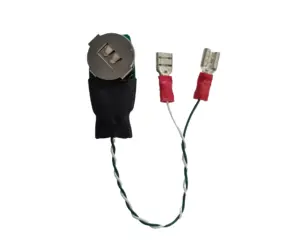
FOB2-W-S Small Mechanical Push Pad Convertor
£26.57 ex VAT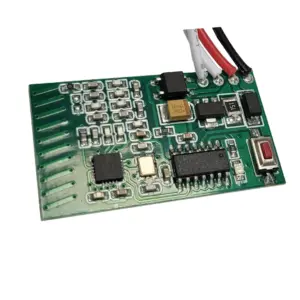
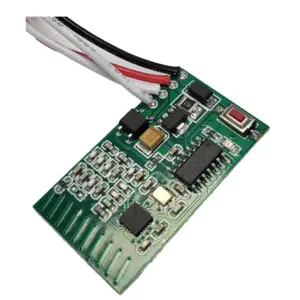
RX-MINI-1-PLUS Mini 868 MHz Receiver
£27.84 ex VAT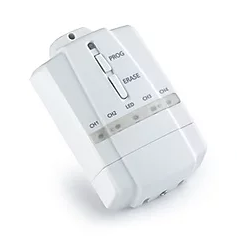
RX-T Receiver With Timer Function
£30.41 ex VAT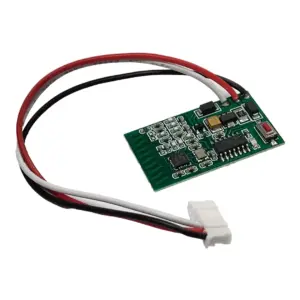
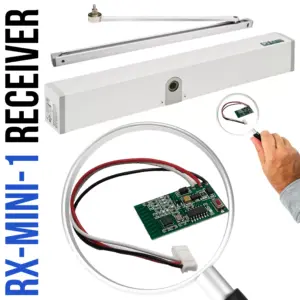
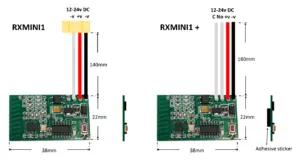
RX-MINI-1 Mini 1 Channel Receiver 868 MHz
£27.84 ex VAT
RX-2-5A 868MHz Receiver with 5 amp relays
£29.38 ex VAT
RX 2 & 4 Channel 868MHz Receiver
From £28.35 ex VATSelect options
This product has multiple variants. The options may be chosen on the product page