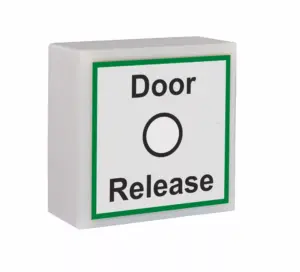


SGTXASS Wireless Door Assist Sensor
£53.14 ex VAT
SGTXASS Wireless Door Assist Sensor – Touch-Free Wireless Door Activation
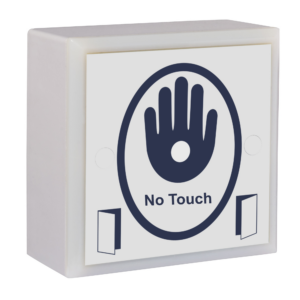
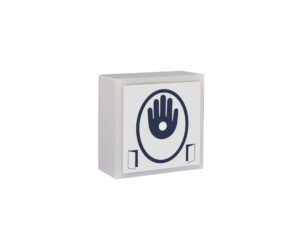
The wireless door assist sensor is a reliable wireless door assist button designed to provide hygienic, hands-free activation for automatic doors, access control systems, and accessible entrances. Offering wireless convenience and touch-free operation, it is the ideal replacement for traditional mechanical push pads, helping to improve accessibility while reducing contact with shared surfaces.
Simply wave your hand in front of the sensor to activate the door. No need to touch or press a button. This makes it particularly beneficial for wheelchair users, people with limited mobility or dexterity, and anyone carrying shopping, equipment, or medical supplies.
Every activation is confirmed by a bright green LED and an integrated audible sounder, giving users instant visual and audible feedback. The bold, high-contrast signage further improves accessibility, making the sensor fully DDA compliant and suitable for environments where ease of use is essential.
The SGTXASS is a hygienic alternative to conventional door release buttons and hospital switches, helping to reduce the spread of bacteria by minimising physical contact. With no moving parts, it offers greater reliability, lower maintenance requirements, and a longer service life than traditional stainless steel push pads.
Designed for professional installations, the wireless sensor is available in a range of styles and finishes to complement different environments. Optional bespoke faceplates featuring company logos, branding, or custom instructions are also available. Suitable for both internal and external installations (excluding the single gang version), the SGTXASS combines durability, convenience, and modern design in one versatile solution.
Key Features
- Wireless door assist sensor for automatic doors
- Touch-free hand activation
- Ideal for automatic doors, access control, and accessible entrances
- Green LED and integrated audible sounder for activation confirmation
- DDA-compliant design
- No moving parts for improved reliability and longer service life
- Hygienic alternative to mechanical push pads and hospital switches
- Suitable for internal and external use (excluding single gang version)
- Available in a range of styles and finishes
- Optional bespoke branding and custom signage
- Fast wireless installation with minimal cabling
- 868MHz
- 4 x AAA alkaline batteries (supplied)
- Approximately 100,000 operations
- Scratch resistant anti microbial acrylic label. Supplied with screw covers for aesthetic purposes.
- Green LED & bleep on activation
- Entire label is touch sensitive
- Battery saving design, unit will only transmit once if hand left on
- Reinforced nylon housing
- Internal use only, IP52
- Max 50m distance between touch sensor and RX receiver
Company name & logo can be printed on the label (Contact us for further information)
- Laboratories
- Cleans Rooms
- Pharmaceutical
- Public Toilets
- Food Processing
- Restaurants
- Doctors Surgeries
- Hospitals & Clinics
- Mortuaries
- Industrial Environments
- Retail and Commercial Premises
▪ You must locate & access the receiver to program a touch sensor
- Compatible receivers are: RX-2, RX-4, RX-2-5A, RX-MINI-1, RX-MINI-1-PLUS, RX-T
- The receiver will be wired in to whatever it is switching. If switching an automatic door, it is likely to be inside the operator. You may need to trace some wires back to it.
- Please note the receiver may have been taken out of its housing.
▪ Touch sensor has stopped working or won’t program
Solution:
- Change the batteries.
- Follow the programming video tutorial.
- Check there are no metal objects obstructing the receiver, check its power supply by making sure there’s correct voltage and that the output isn’t powering too many things, and extend the antenna if possible.
- Test in a different location to determine if signal interference is the issue.
- If it’s determined to be interference, hardwiring is the best option.
▪ Touch sensor is intermittent
Solution:
- Change the batteries.
- Check there are no metal objects obstructing the receiver, check its power supply by making sure there’s correct voltage and that the output isn’t powering too many things, and extend the antenna if possible.
- Test in a different location to determine if signal interference is the issue.
- If it’s determined to be interference, hardwiring is the best option.
▪ The automatic door isn’t opening when the touch sensor is activated
Solution:
If the receiver relay is clicking or the red LED is turning on (depending on receiver model) when the touch sensor is activated:
- The system is working. Check the wiring from the receiver to the auto door operator. Check the operator is in automatic mode. Refer to the manual of the auto door operator or contact the manufacturer.
If not:
- Check the touch sensor is programmed into the receiver. See also previous sections.
Receivers: VIEW ALL RECEIVERS |RX-2 | RX-4 | RX-2-5A | RX-MINI-1 | RX-MINI-1-PLUS | RX-T | GDRC
| Weight | 0.205 kg |
|---|---|
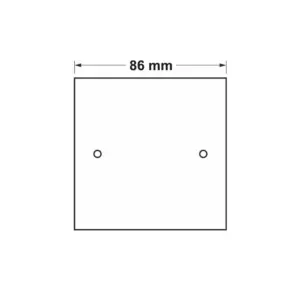
| Dimensions | 86 × 86 × 36 mm |
Related products
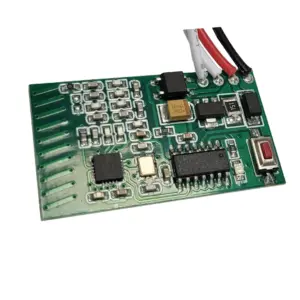
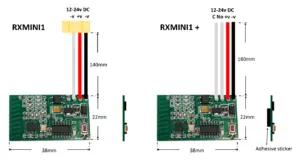
RX-MINI-1-PLUS Mini 868 MHz Receiver
£27.84 ex VAT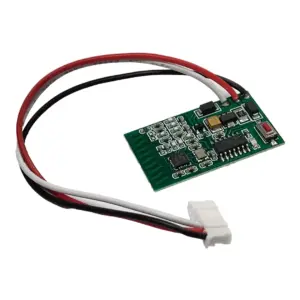
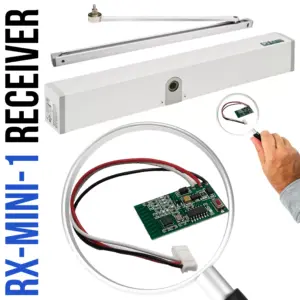
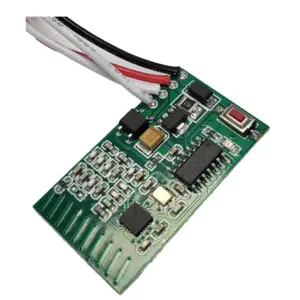
RX-MINI-1 Mini 1 Channel Receiver 868 MHz
£27.84 ex VAT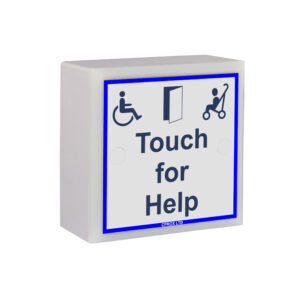
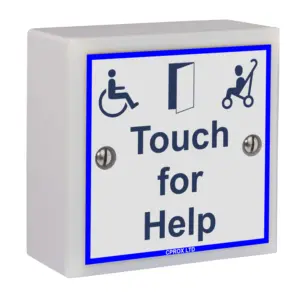
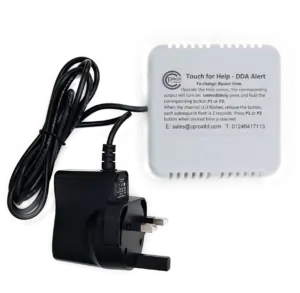

SGTXHELP Touch For Help Radio Door Chime
£103.04 ex VAT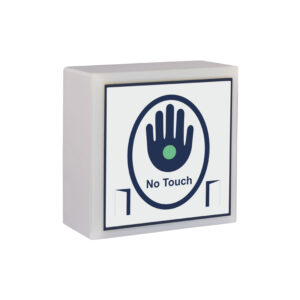
SGTXHAND Touchless Door Sensor
£53.14 ex VAT
RX 2 & 4 Channel 868MHz Receiver
From £28.35 ex VAT