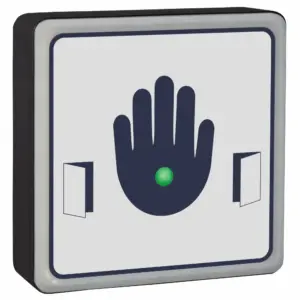
SQFSOPEN Hardwired Faux Stainless Steel Sensor
£66.96 ex VAT
A great alternative to stainless steel push pads
Our stainless steel push pad alternative is a smarter, safer alternative to traditional mechanical push pads. Designed for hygiene, accessibility, and durability. It offers touch free activation up to 70mm, making them ideal for users with physical disabilities and for reducing germ transmission in high traffic areas.
The unit comes with faux stainless, scratch resistant signage that is back printed to resist wear and frequent cleaning. Unlike traditional stainless steel push pads that can fade over time.
Key Features:
- Touch-free activation (adjustable range up to 70mm)
- No physical pressure needed. DDA compliant!
- Antimicrobial protection, killing 99.9% of germs on contact
- Confirmation beep and bold graphics , suitable for users with visual or auditory impairments
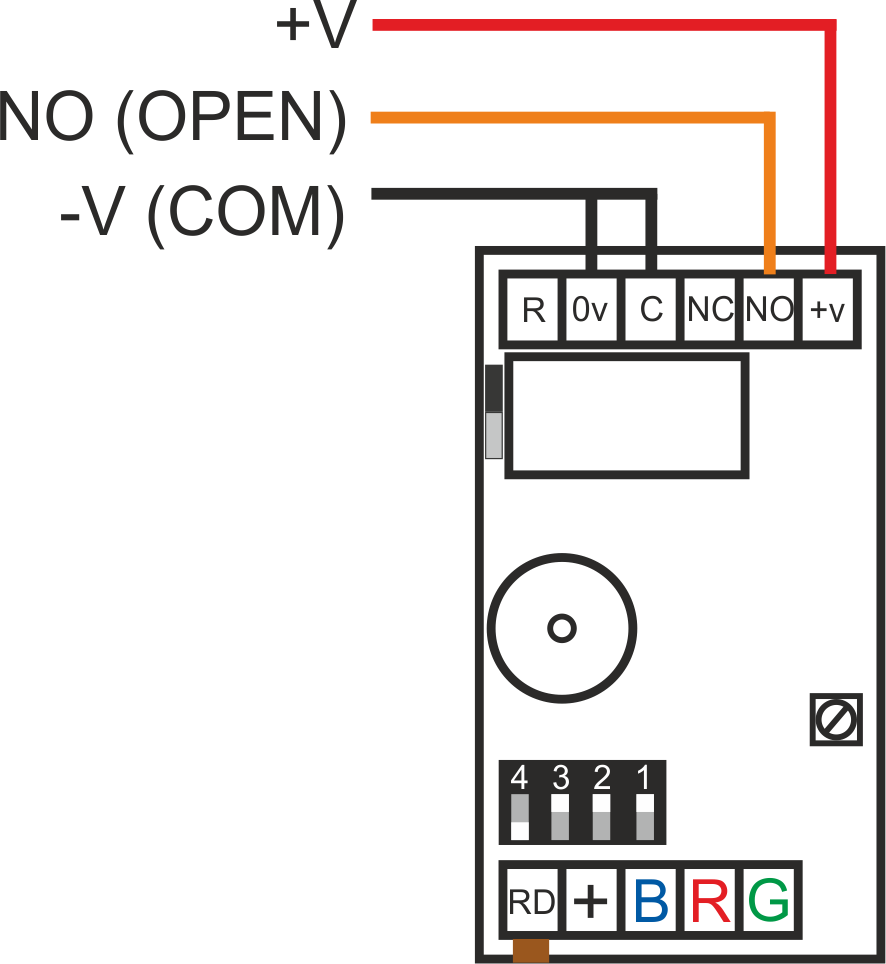
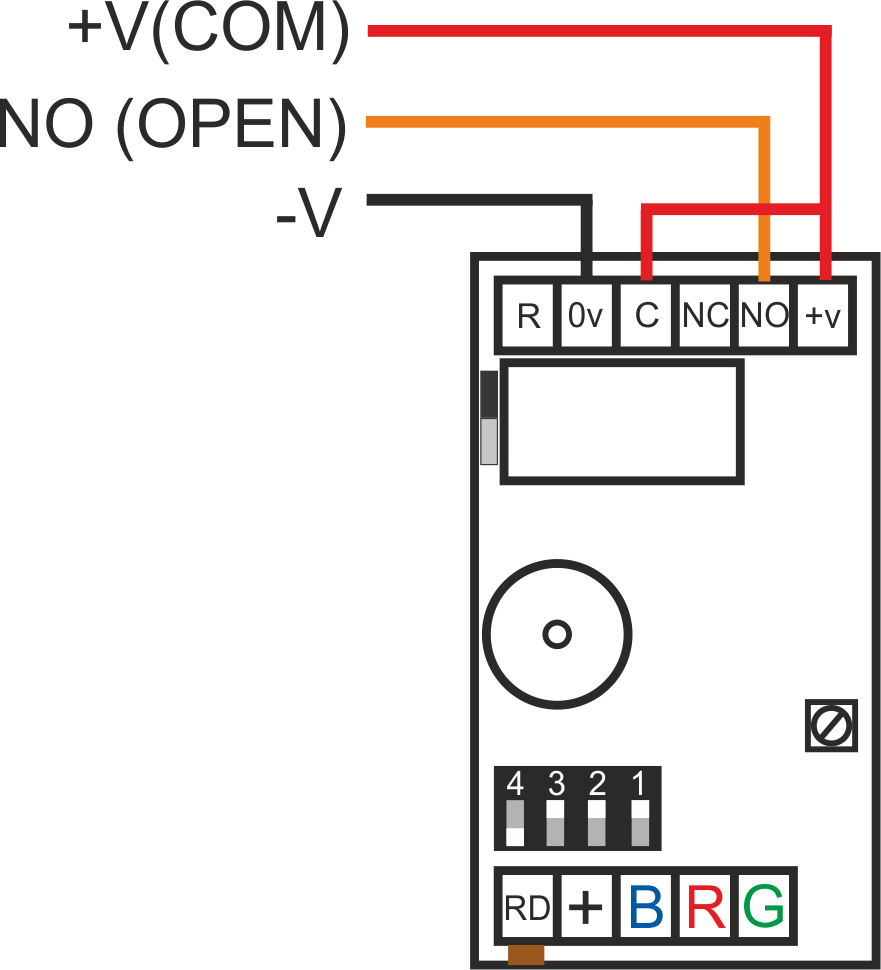
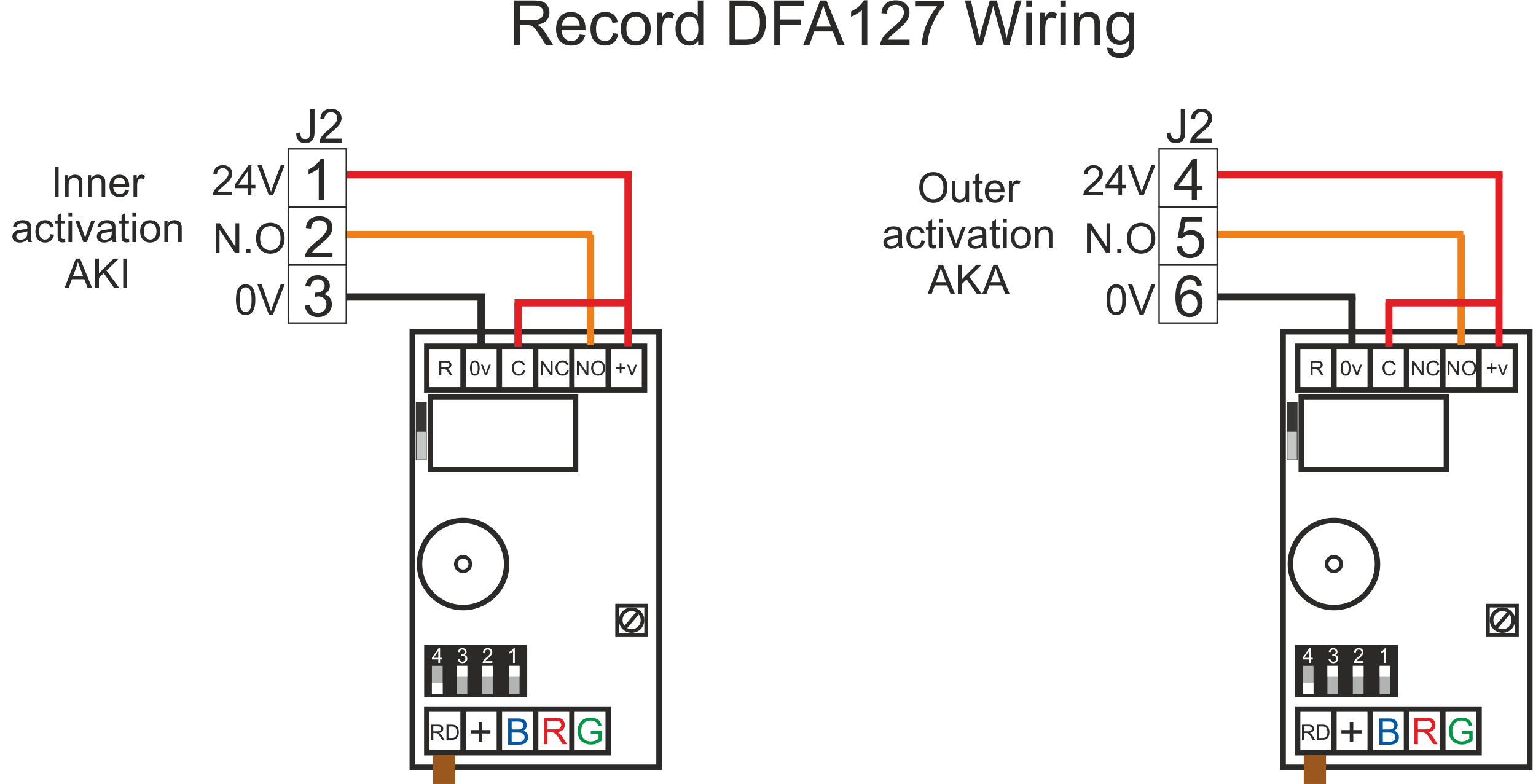
- Hardwired (12–28V DC) for use with automatic doors, access control, and switching systems
- Custom branding available – add your company logo and contact details
- Indoor and outdoor use
Why Choose Our Sensors?
- Safer and more hygienic than stainless steel push pads
- Modern, attractive designs to suit any environment
- Trusted by returning customers for reliability and performance
- Helps prevent germ spread – 80% of contagious diseases are transmitted by touch!
Please contact us to discuss if wanting to add your company name adding or you want something slightly different.
- Touch pad alternative
- 12 - 28Vdc
- 4 position sensitivity adjustment (Touch to hands free)
- Timed clean relay output
- Sounder on activation
- Scratch resistant anti microbial faux stainless acrylic label. Supplied with screw covers for aesthetic purposes.
- Entire label is sensitive
- Reinforced nylon housing
- IP65 rated
- Company name & logo can be printed on the label (Contact us for further information)
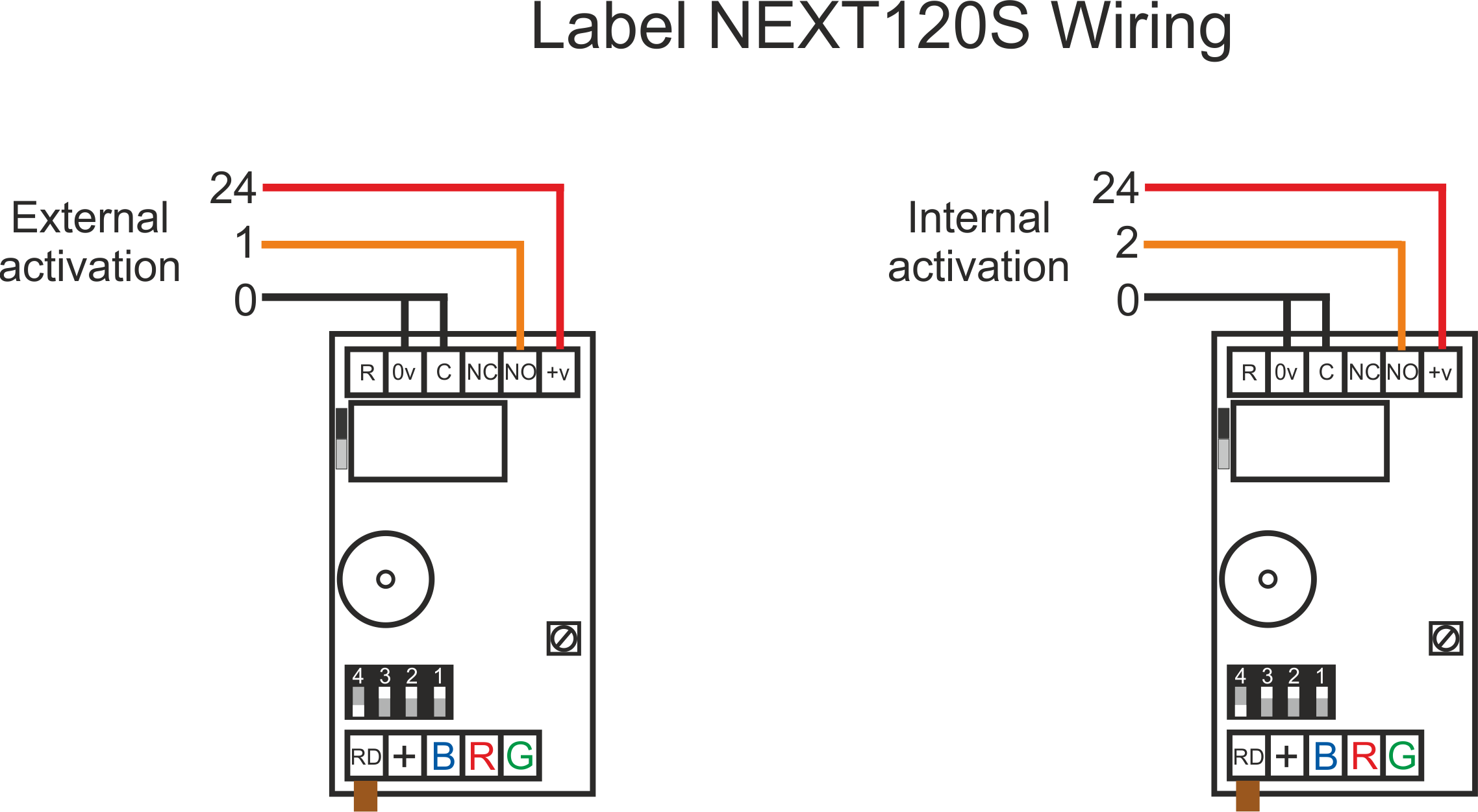
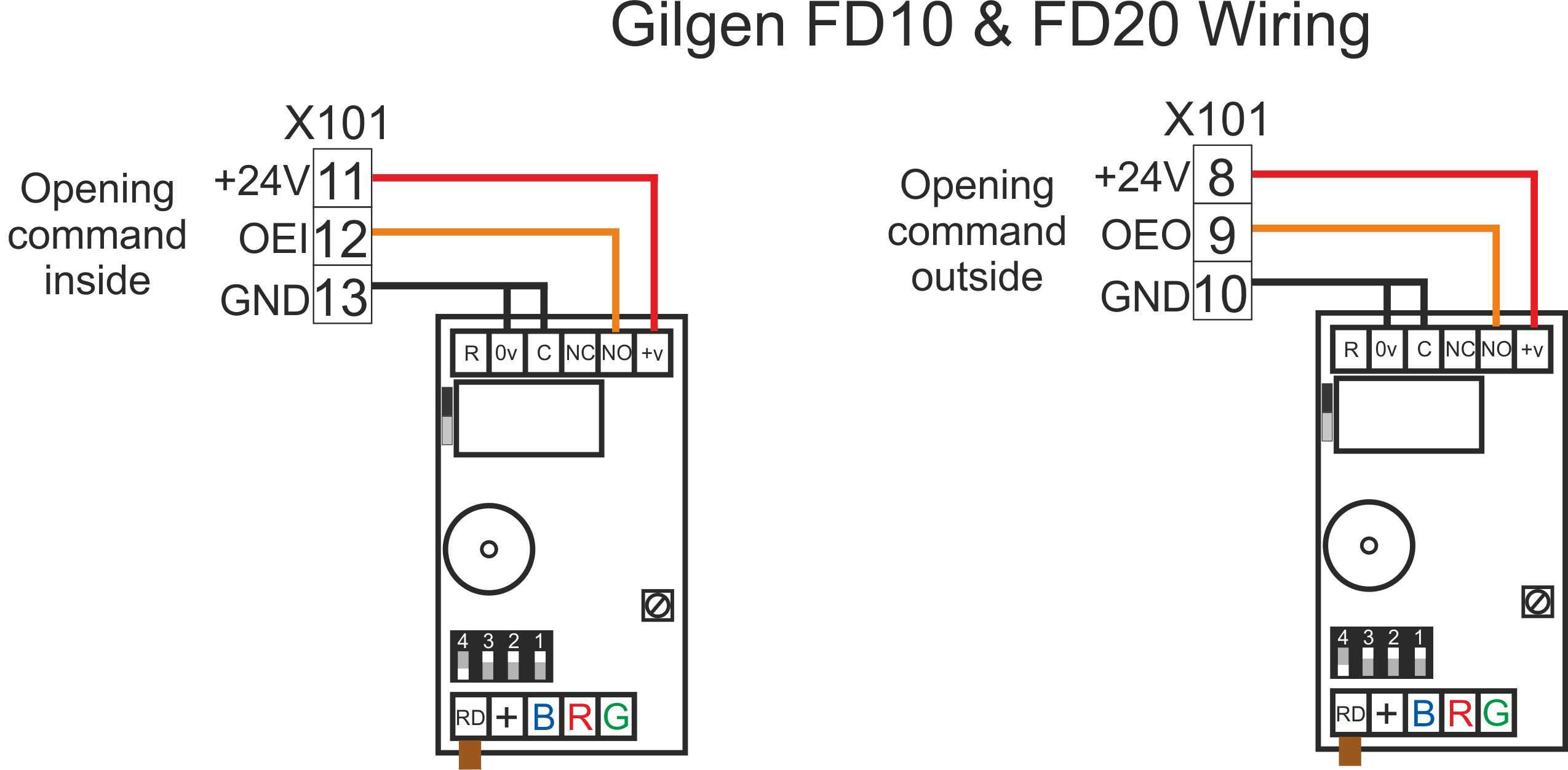
◾ Touch sensor doesn’t beep/activate when touched
Step-by-step checks: After each step below, de-power the system for 10 seconds and power it back up.
- Screw the sensor to the wall properly, don’t have it dangling or in your hand.
- Change the sensitivity.
- Ensure the jumper next to the touch sensor relay is on and is making properly.
- Make sure 0V is in the correct terminal, not the REM terminal.
- Use a multimeter to check you’ve got voltage at the touch sensor (+V Red & 0V black).
- Take off the wall and connect power directly to the power supply on a short piece of cable to rule out any cable issues or short circuits.
◾ Touch sensor activates randomly
Solution:
- Turn down the sensitivity on the touch sensor, especially if there is emergency lighting nearby.
- Make sure there isn’t excess cable in the back box.
- Re-terminate all connections.
- Touch sensors can be activated by changes in voltage which is a problem on unregulated power supplies. Fit a separate transformer.
| Weight | 0.23 kg |
|---|---|
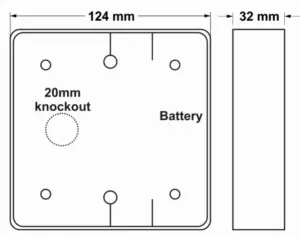
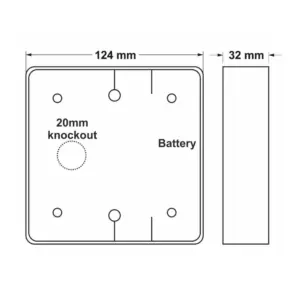
| Dimensions | 124 × 124 × 32 mm |
Related products


SQFSTXOPEN Wireless Faux Stainless Touch To Open Sensor
£79.71 ex VAT

FSR Door Finger Guards – Safety for Swing Doors
From £92.20 ex VAT

WCKIT-HAND Contactless Toilet Door Locking Kit
From £312.94 ex VAT



SQHAND Hardwired Automatic Door No Touch Switch
£66.96 ex VAT
SQTXFOOT Wireless Foot Sensor
£79.71 ex VAT