


GO4 4 Button JCM Remote Control
£28.12 ex VAT
JCM Technologies 4 Button JCM Remote Control.
When used with a compatible receiver or control panel, the GO4 remote gives a remote control facility to automatic doors, gates, barriers, roller shutter and bollards. It has an impressive working range of 100 metres and can control 4 different devices.
The GO4 JCM remote control is a high quality remote control and comes with a 5 year warranty for peace of mind.
If you are ordering replacements of this remote, it is important to note the following:
- This JCM remote control looks identical to the GO PRO4, but is not compatible. In order to tell if you have a GO4 or GO PRO4, check the serial number engraved on the back of an existing remote. If the serial number is 7 digits it is a GO4, if the serial number is 13 digits in total, it is a GO PRO4, please click here to order it instead.
- Please also check that the last 3 digits of the serial number are 040. If there aren’t, please don’t order, call us instead and we will advise.
- If there is a company logo on the front of your existing remote, please contact that company directly for replacements. Remotes ordered from us will not work.
- High security rolling code 868.35MHz
- 4 channel transmitter
- Nominal range: 100 m
- Power supply: 1 x 3Vdc CR2032 type
- Consumption: 12mA
- Battery lasts for approximately 2 years
- Light operating indicator for low battery and signal transmission
- High security rolling code, 19 trillion combinations, cannot be cloned
- Laser-marked series number
- Operating temperature –20ºC a + 55ºC
- Size: 62 x 33 x 11mm
- Option to add company logo and unique code to ensure all future sales, please call for details.
▪ Remote has stopped working
Solution:
- Change the batteries in your JCM remote control, even if the LED is lighting up.
- If more than one remote has stopped working at the same time, check there’s power to the receiver. If you can hear the receiver relay clicking when you press a remote, then the system is working. The issue is probably with the equipment the receiver is activating, e.g. auto door, gate, garage, etc. Contact your installer or maintenance company.
▪ Remote won’t program
Solution:
- Check that the new remote is compatible. Compare the serial number of a working remote against the new one. Click here for more information.
- If the remote is compatible, follow the radio prog video.
- If this doesn’t work, identify the receiver or control panel and refer to their instructions.
- If you have a PRO remote, it is possible that the receiver is managed by an installer or management company, especially on communal gates for example. Contact the company directly as you will not be able to program the remote yourself.
▪ Remote is intermittent
Solution:
- Change the battery in your JCM remote control.
- Ensure the receiver is unobstructed by metal objects.
- Purchase an antenna for the receiver (ANT868 or FLAT868).
▪ 7 beeps from the receiver when trying to program remotes
Answer:
- The memory is full. Please upgrade or add another receiver.
- If some remotes have been lost or not in use, you can reset the receiver and re-program the ones still in use.
| Weight | 0.025 kg |
|---|---|
| Dimensions | 62 × 33 × 11 mm |
Related products
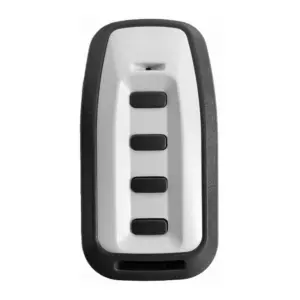
GOPRO4 4 Button Programmable Remote
£28.12 ex VATSelect options
This product has multiple variants. The options may be chosen on the product page
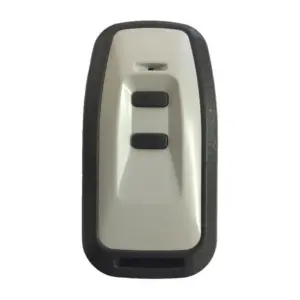
GOPRO2 2 Button Programmable Transmitter
£26.04 ex VATSelect options
This product has multiple variants. The options may be chosen on the product page

GOPRO-MINI 2 Button Programmable Remote
£21.92 ex VATSelect options
This product has multiple variants. The options may be chosen on the product page
GO2 2 Button Transmitter Remote Control
£26.04 ex VAT
GOMINI 2 Button Remote Control Transmitter
£21.92 ex VAT